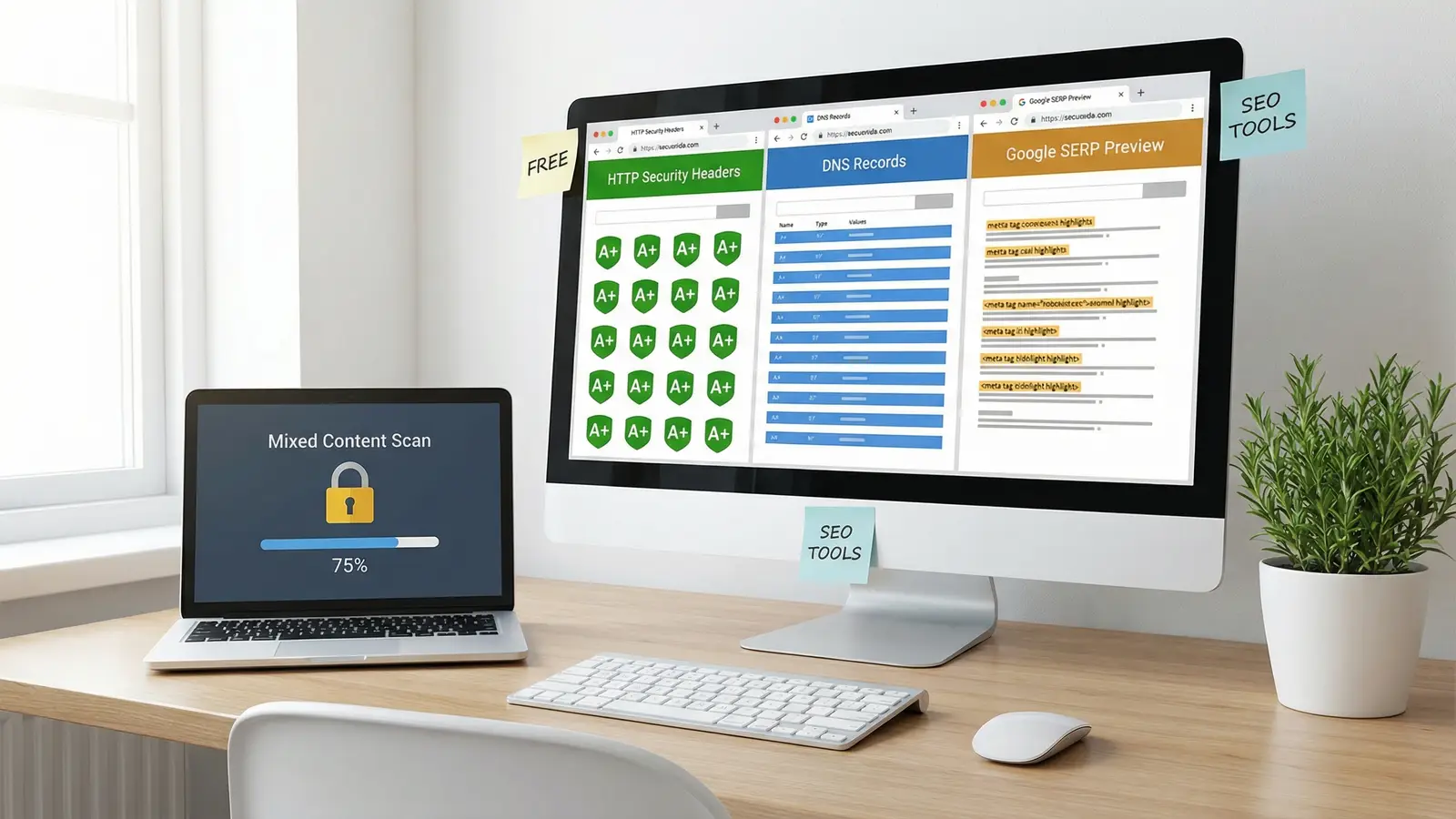
We've been hosting websites since 2002. In that time, we've answered thousands of support tickets about SSL errors, DNS misconfigurations, broken meta tags, and mystery ranking drops. The same issues come up over and over, and the fixes are usually quick once you can see the problem.
So we built nine free SEO tools that solve the most common technical headaches webmasters face. No sign-up, no paywall, no usage limits. Just type a URL or domain and get answers. Here's what each one does, why it matters, and how it can save you time.
Two of them didn't exist when this article first went up in February. The WordPress Scanner came out of the same support tickets that prompted the rest. The AI Crawler Checker came out of a question nobody was asking three years ago: can ChatGPT, Claude and Perplexity actually reach your site, or is something quietly turning them away?
HTTP Header Inspector
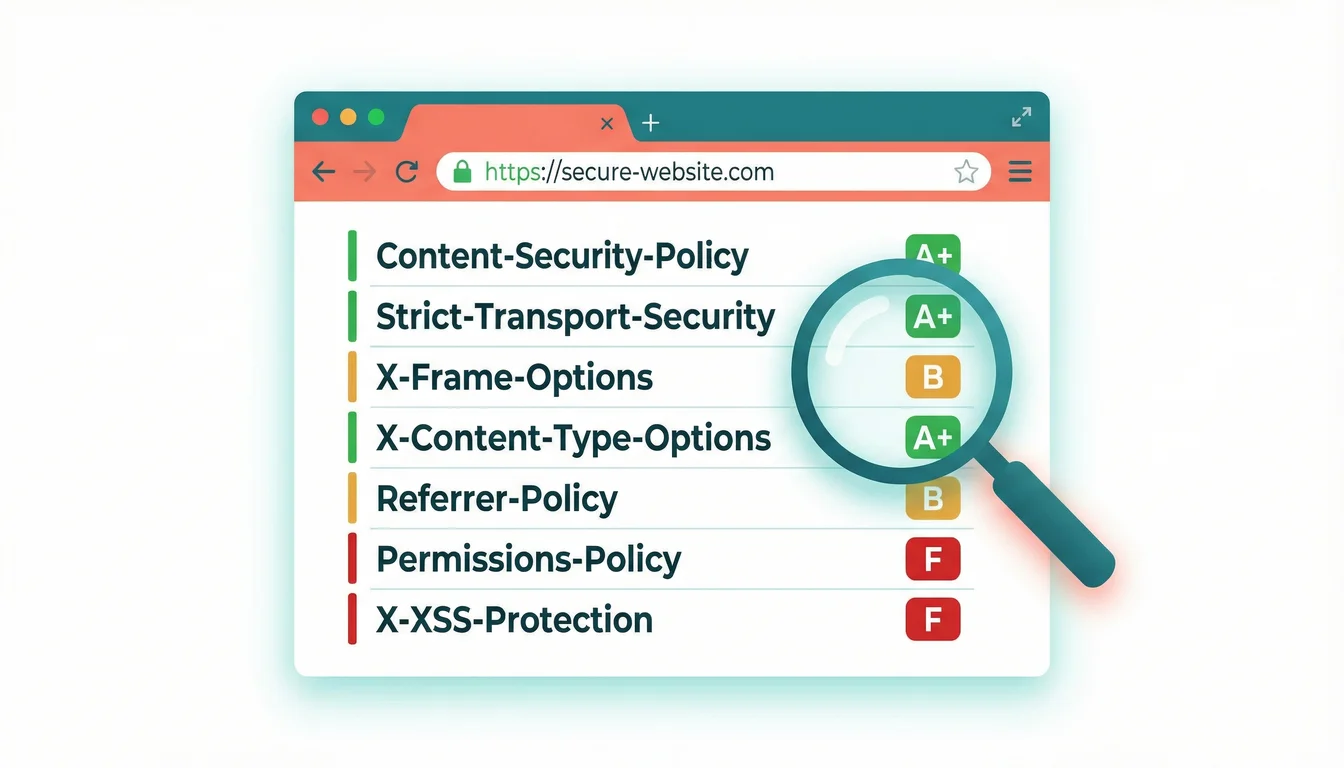
Your server sends HTTP headers with every page request. They control caching, security policies, content types, and redirect behaviour. But most site owners never see them, and misconfigured headers cause problems that are hard to diagnose without the right tool.
The HTTP Header Inspector fetches the full response header chain for any URL. It follows redirects so you can see every hop, grades your security headers from A to F, and flags what's missing. If your Content-Security-Policy is absent or your X-Frame-Options header isn't set, you'll know in seconds. We cover the full grading system and how to fix each header in our deep-dive on HTTP security headers.
Can I check my website's security headers for free? Yes. The 365i HTTP Header Inspector scans any URL and grades security headers from A to F, showing which headers are missing and what each one protects against. No sign-up required.
DNS Lookup Tool
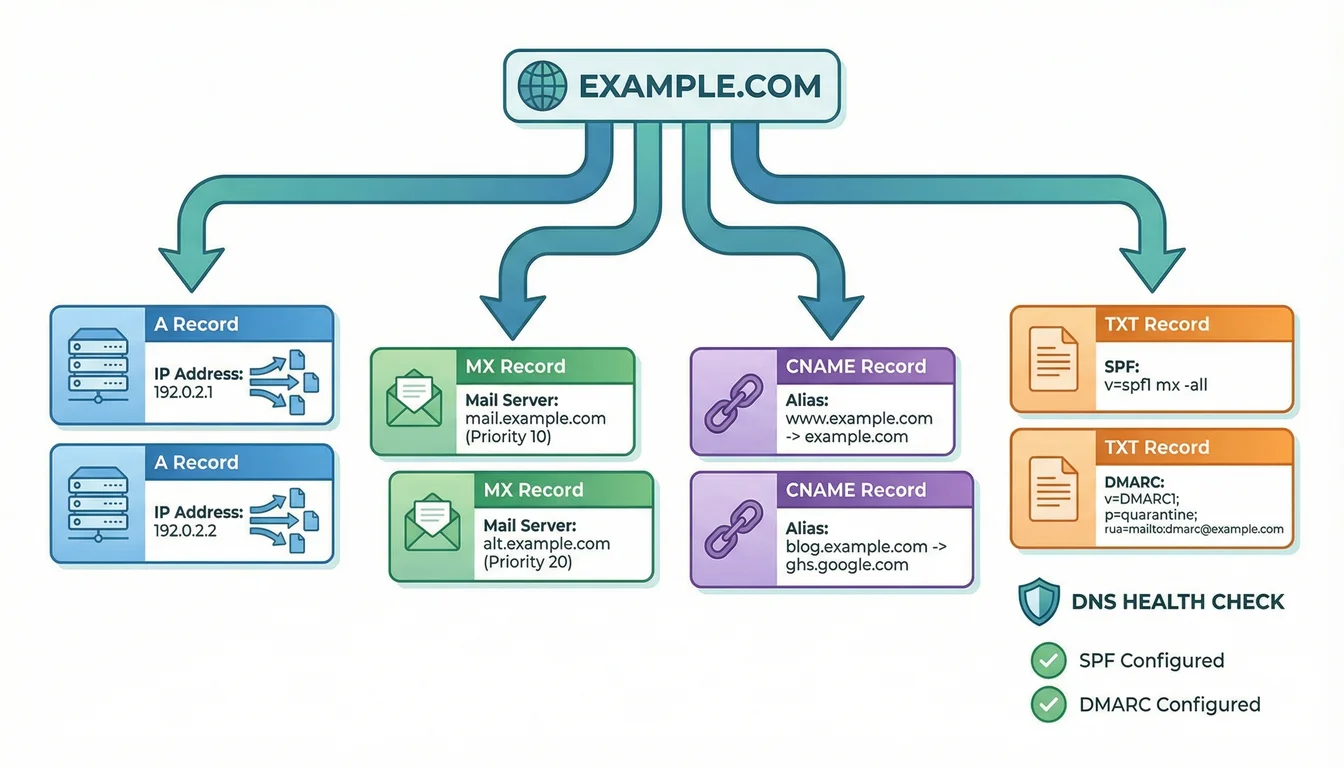
DNS is the phone book of the internet, and a wrong entry means your site, email, or subdomains stop working. Around 17% of email delivery failures trace back to DNS misconfigurations, things like missing MX records or broken SPF syntax. And with only 18% of domains having proper DMARC policies in place, most businesses are exposed to spoofing attacks without realising it.
Our DNS Lookup Tool queries every record type (A, AAAA, MX, TXT, NS, CNAME, SOA, CAA, SRV) via Cloudflare's DNS-over-HTTPS resolver. It doesn't just list records. It checks your email authentication health: SPF, DKIM, and DMARC get individual status cards showing pass, warning, or fail states.
How do I check if my domain's DNS is configured correctly? Enter your domain into the 365i DNS Lookup Tool. It queries all record types and grades your email authentication (SPF, DKIM, DMARC) with clear pass/warning/fail indicators.
Why No Padlock? (Mixed Content Scanner)
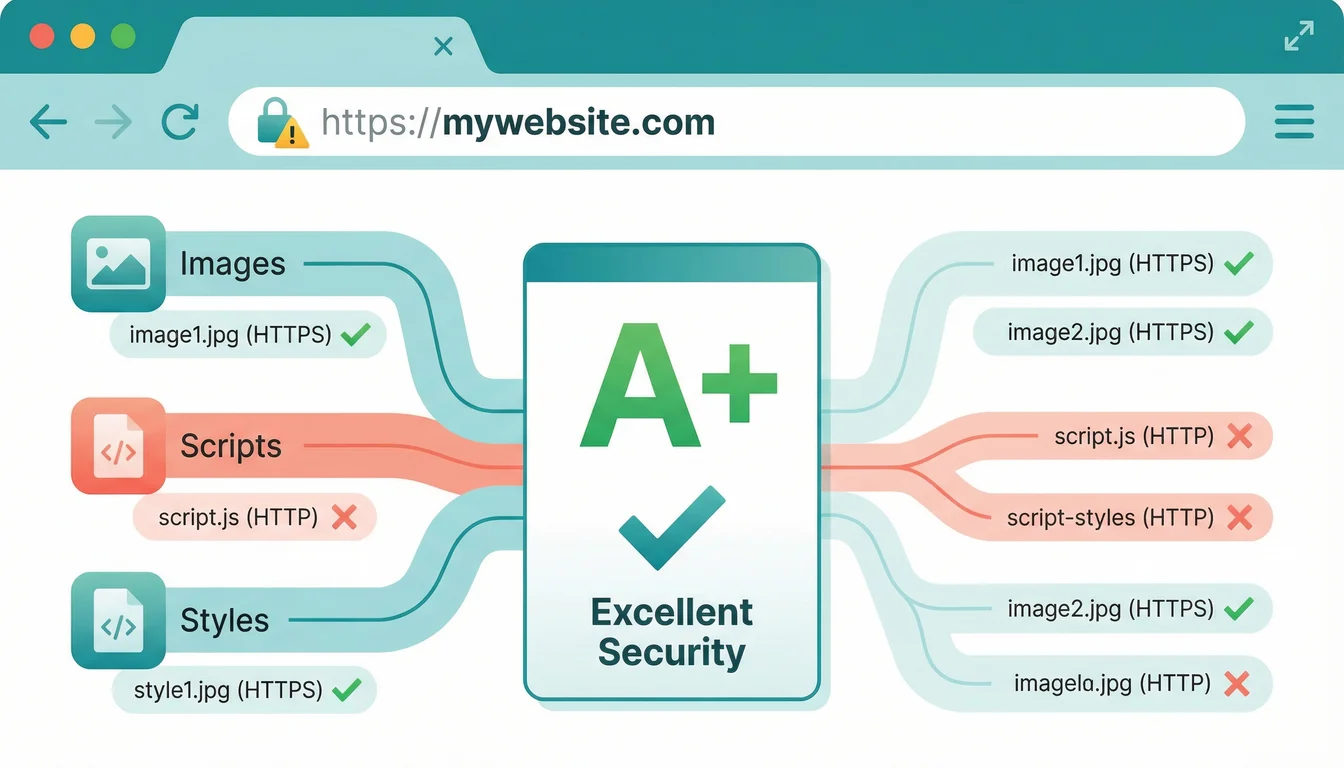
You've installed an SSL certificate, but the padlock icon is missing. Usually that means something on the page (an image, a script, a font) is still loading over plain HTTP. Browsers block or downgrade these "mixed content" resources, and your visitors see security warnings instead of the padlock. With 86.9% of the web now using HTTPS, a missing padlock stands out.
The Why No Padlock? scanner crawls any HTTPS page and identifies every insecure resource. It grades your overall security from A+ to F, shows SSL/TLS certificate details, and lists each mixed content item with its source URL so you can fix it.
Why is my SSL padlock not showing? Mixed content: one or more resources on your page are loading over HTTP instead of HTTPS. The 365i mixed content scanner finds every insecure resource and tells you exactly which file on which line to fix.
Meta Tag Checker and SERP Preview
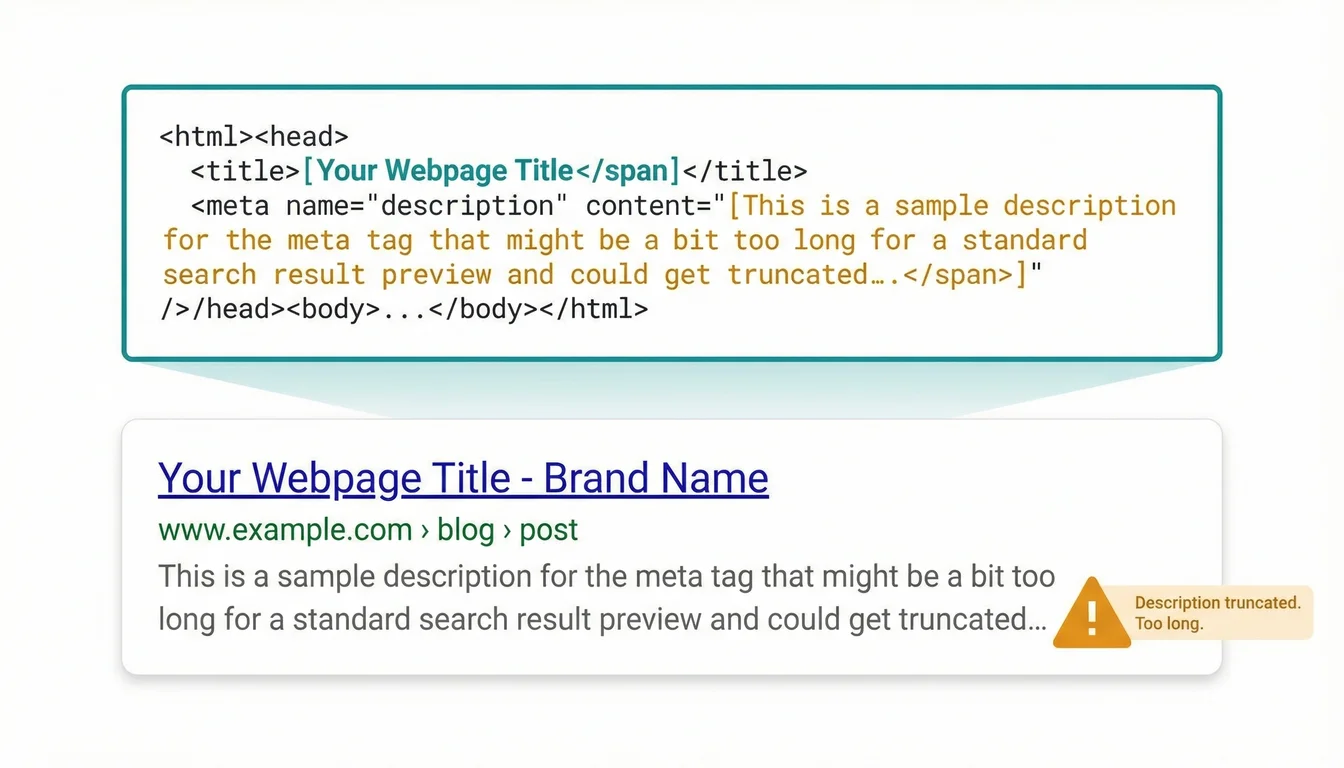
Roughly 25% of top-ranking pages have missing or poorly written meta descriptions. That's traffic left on the table. Your title tag and meta description are your search result advert, and if they're truncated, duplicated, or absent, click-through rates suffer. Open Graph tags matter too: 22.2% of websites use no structured sharing data at all, meaning social previews look broken or pull the wrong image.
The Meta Tag Checker extracts every meta tag from any URL and shows you a live Google SERP preview, plus Facebook and Twitter card previews. It flags SEO issues (missing canonical, no viewport tag, title too long) with severity indicators. You see exactly what search engines and social platforms see. Our deep dive into the Meta Tag Checker covers common mistakes and how title tags affect your Google Discover visibility.
How can I preview how my page looks in Google search results? The 365i Meta Tag Checker generates a pixel-accurate SERP preview from your actual meta tags, plus Facebook and Twitter previews. It flags truncation, missing tags, and SEO issues.
"Technical SEO is not going away. A lot of it is not a matter of blind trust or hope. It's something that's very deterministic, and you can logically find the answer."
John Mueller, Search Advocate at Google, via Search Engine Journal
Mueller's point is why we built these tools. We host sites for hundreds of UK businesses. The pattern we see is always the same: excellent content held back by a technical problem the owner didn't know existed. A missing security header. A DNS record that's slightly wrong. A robots.txt file accidentally blocking Googlebot. These are five-minute fixes once you can see them, but invisible without the right diagnostic tools.
Robots.txt Checker
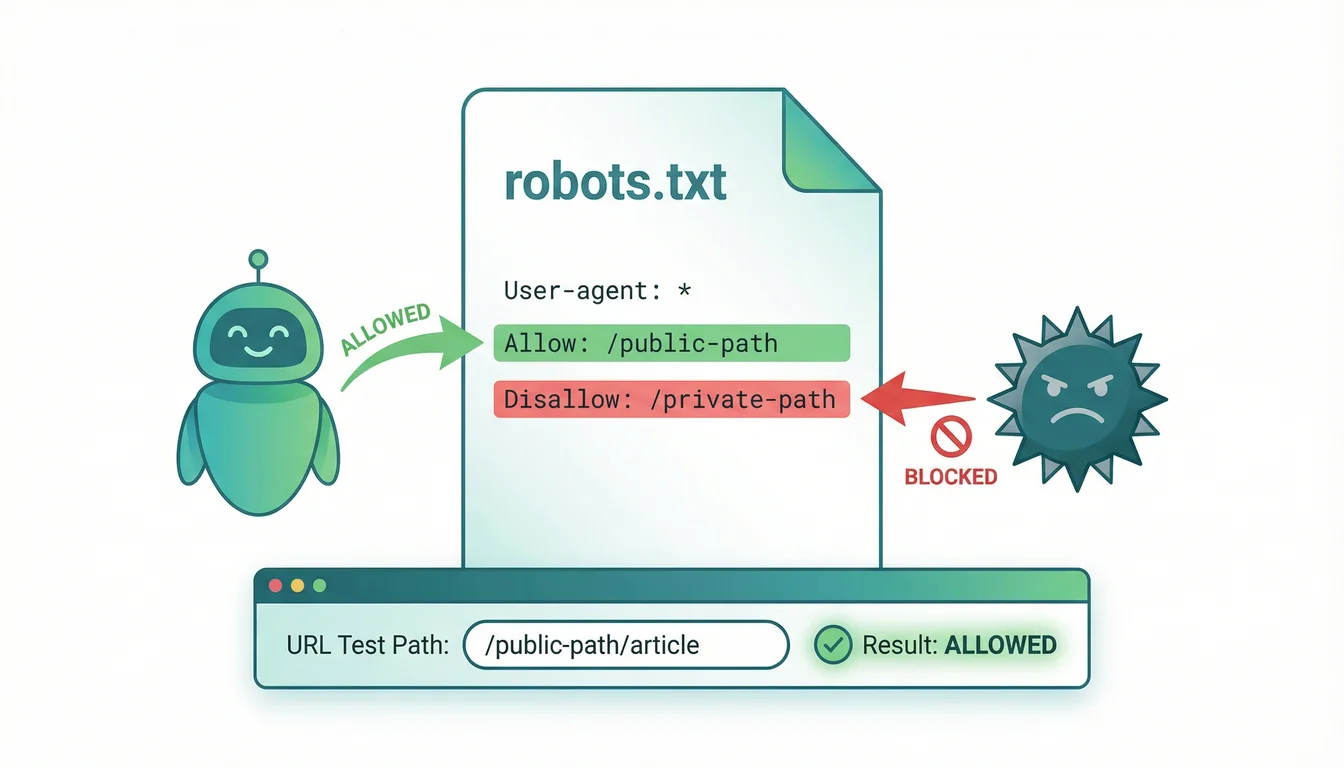
Your robots.txt file tells search engine crawlers which parts of your site to access and which to skip. Get it wrong and you could block Googlebot from your most important pages. One misplaced wildcard in a disallow rule can accidentally hide your entire site from search results, and you'd have no idea until rankings drop.
The Robots.txt Checker fetches and parses any site's robots.txt, breaking down rules by user-agent. You can test specific URL paths against the rules to see if they'd be allowed or blocked. It spots common mistakes: overly broad disallow patterns, missing sitemap references, and conflicting rules that AI crawlers might interpret differently from Googlebot.
How do I test if my robots.txt is blocking Google? Paste your domain into the 365i Robots.txt Checker. It parses every rule, lets you test specific URLs against the crawl directives, and flags mistakes that could accidentally block search engines. We go deeper into why robots.txt checking matters for AI crawlers in the full tool guide.
WHOIS Lookup
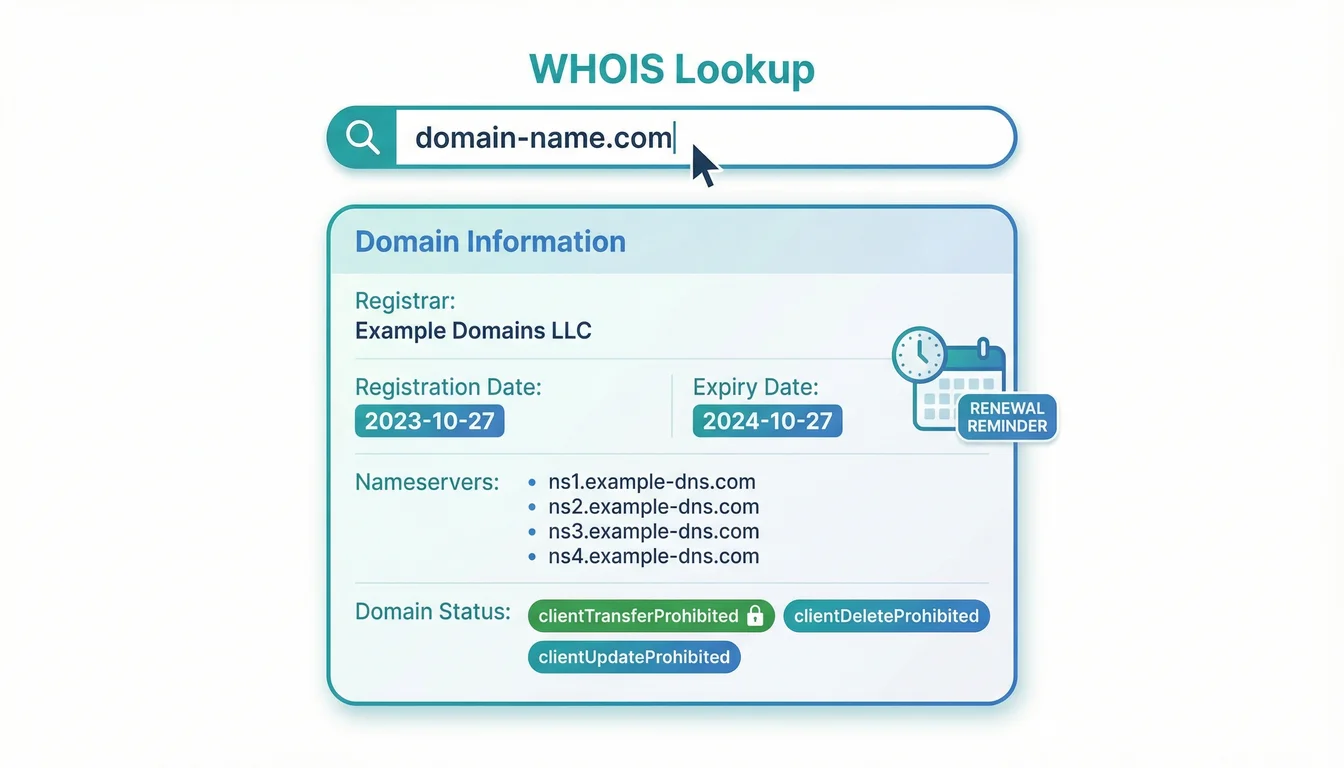
Domain registration data tells you who owns a domain, when it expires, which registrar manages it, and what nameservers are configured. This matters for due diligence on domain purchases, checking competitor domains, or simply making sure your own registration isn't about to lapse.
Our WHOIS Lookup uses RDAP (the modern replacement for the legacy WHOIS protocol) to pull registration details, dates, nameservers, domain status codes, registrar info, and DNSSEC status. Results are grouped into clear sections so you can quickly find what you need. If your domain is approaching expiry, you'll see it immediately.
How do I check when a domain name expires? Enter the domain into the 365i WHOIS Lookup. It shows the exact registration date, expiry date, last updated date, nameservers, and registrar via the RDAP protocol.
Post Sitemap to CSV
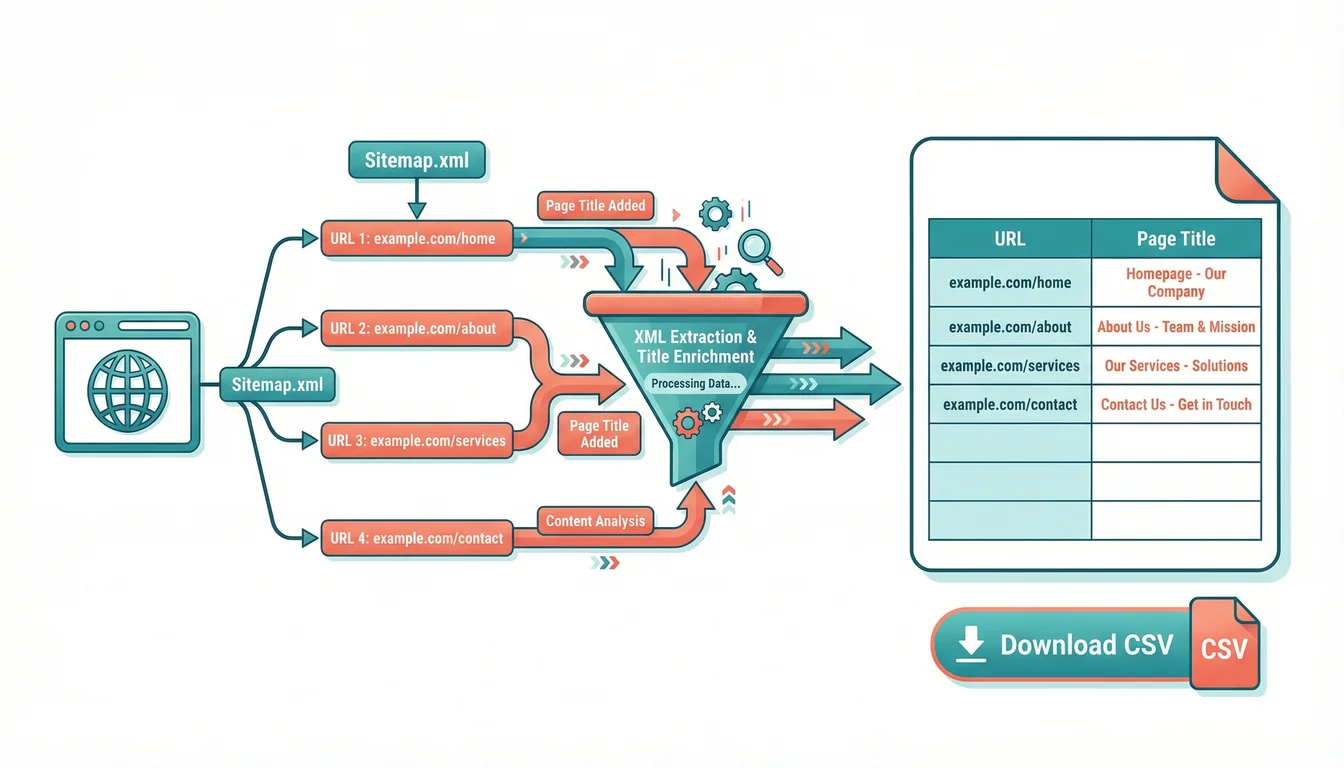
Content audits start with knowing what pages a site has. Manually copying URLs from XML sitemaps is tedious and error-prone, especially for sites with thousands of pages. And if the site uses a CDN that blocks automated requests (Akamai, Cloudflare Bot Management), most sitemap tools just fail silently.
The Post Sitemap to CSV tool discovers all XML sitemaps for any website, fetches page titles in progressive batches (starting with 1, ramping up to 5 at a time), and exports everything as a clean CSV. If a CDN blocks the proxy request, it offers a paste-XML fallback so you can still extract the data. Results are cached for 30 days, so repeat visits are instant.
How do I export a website's sitemap URLs to a spreadsheet? Use the 365i Post Sitemap to CSV tool. Enter a domain, it discovers all XML sitemaps automatically, fetches page titles for each URL, and lets you download a clean CSV file. We cover five practical workflows for your exported CSV (content audits, redirect mapping, competitor research, and more) in our deeper guide to sitemap exporting.
WordPress Security Scanner
WordPress sites rarely get compromised through anything exotic. They get compromised through a login page with no rate limiting, XML-RPC left switched on, or an author archive that hands out valid usernames to anyone who asks for one. None of that needs a zero-day. It needs a bot with time on its hands, and there is no shortage of those.
The WordPress Scanner works out whether a site runs WordPress at all, then runs six checks on the things that actually get exploited: whether wp-login.php is reachable, whether XML-RPC answers, whether user enumeration exposes valid usernames, whether the version number is being broadcast, whether debug output is visible, and which security headers are set. Each finding comes with what it means and what to do about it.
It only reads. The scanner requests pages the way an ordinary visitor's browser would, so it never attempts a login, never submits a form and never changes anything on the site you point it at. That also means it can't see what's behind your admin area, which is the honest limit of any external scan: it tells you what an attacker can see from outside, not whether a plugin you installed last year has a flaw in it.
How do I check if my WordPress site is secure? Enter your URL into the 365i WordPress Scanner. It confirms whether the site runs WordPress, then reports on login exposure, XML-RPC, user enumeration, version disclosure, debug output and security headers, with a fix for each issue found. Our guide to checking a WordPress site's security in 30 seconds walks through reading the results, and our hosting platform handles several of these at the server level.
AI Crawler Checker (New)
Search engines are no longer the only things crawling your website. GPTBot, ClaudeBot, PerplexityBot, Meta-ExternalAgent and Applebot fetch pages to answer questions inside ChatGPT, Claude, Perplexity, Meta AI and Apple's search suggestions. If your robots.txt or your host's firewall turns them away, you are missing from the places a growing share of research now happens. Nothing in Google Search Console will tell you, because none of this is Google.
The AI Crawler Checker tests 14 AI crawlers in two separate ways, because the two answers frequently disagree. First it fetches your robots.txt and works out what each named bot is permitted to request, wildcards included. Then it sends a real request to your homepage using each bot's published user-agent string and compares the response against a normal browser request to the same URL. You get a bot-by-bot table, an A to F grade, and a message you can forward to your hosting provider without editing it.
Two details in there matter more than they sound. A control probe runs alongside the real bots using an invented user agent that belongs to nobody. If that gets blocked too, your host isn't blocking AI, it's blocking anything that doesn't look like a browser, and that's a different conversation to have with them. And two of the 14 entries, Google-Extended and Applebot-Extended, are deliberately tested by robots.txt only. Neither is a crawler. They're control tokens that Google and Apple honour to decide whether your content trains their models, and no request ever arrives identifying itself as Google-Extended. Any tool claiming to have live-tested one is measuring something that doesn't exist.
"For reasons I'm sure you would understand we disallow all agents and instead submit our sitemaps directly to google. This has worked out well as far as traditional search is concerned."
A specialist electronics manufacturer, by email, July 2026
That was a real reply, from a firm whose domains have been registered since the early 1990s. Their robots.txt allowed Googlebot, Bingbot and Slurp, then closed the door on everything else. Behind it sat a firewall that didn't refuse unfamiliar user agents so much as ignore them, leaving the request hanging until it timed out. In the same thread they told us their goal for the year was to appear in Google's AI results, and that they were frustrated those results kept naming companies that didn't match what the searcher wanted. Their own robots.txt was blocking Googlebot too, so the sitemaps they were submitting couldn't be read either. We put that in writing and they decided to leave it as it was, which is their call to make.
The reason that case sticks is the gap between the two halves of the test. Reading the robots.txt would have told you most of the story. Only the live request showed a firewall that never answered at all. If you check just one of the two, you can come away confident and wrong.
How do I know if AI crawlers can access my website? Run your URL through the 365i AI Crawler Checker. For each of 14 AI crawlers it reports whether your robots.txt permits access and whether a live request using that bot's user agent actually succeeds, then tells you which of the two is responsible when a bot is blocked. If you want the crawlers to find something useful once they arrive, that's what AI discovery files are for, and our free WordPress plugin logs every AI crawler that reads them.
Why a Hosting Company Builds Free SEO Tools
It's a fair question. We sell WordPress hosting, managed cloud servers, and security services. Why give away free SEO tools instead of charging for them, or gating them behind an email address like everyone else?
"Setting up a Search Console account helps you monitor and optimise how your website performs on Google Search."
Google Search Central, SEO Starter Guide
Google's own advice is that site owners should use diagnostic tools to understand their sites better. We agree. Running a hosting company for over two decades has taught us that the best customer is an informed one. When a client understands their DNS, knows their SSL is working, and can check their meta tags, they spend less time confused and more time growing their business. For web designers and freelancers managing multiple client sites, these tools pair well with fixed-cost agency hosting where every site gets its own staging and management panel. And when they need hosting that matches the standards these tools measure against, they know where to find us.
Every tool runs on our own performance-optimised edge infrastructure, built for speed and reliability. They're the same diagnostic checks our support team runs daily. We just put a browser interface on them and made them public.
Frequently Asked Questions
Are the 365i SEO tools really free?
100% free with no account required. There's no trial period, no feature gating, and no usage cap. Enter a URL or domain and get results instantly. We built these as a public resource for webmasters.
How do I check my website's security headers?
Use the HTTP Header Inspector. Enter your URL and it returns every response header, follows redirects, and grades your security headers from A to F. Missing headers like Content-Security-Policy or X-Frame-Options are flagged with explanations.
Why is my SSL padlock missing even though I have a certificate?
Mixed content. At least one resource on your page (image, script, font, or stylesheet) is loading over HTTP instead of HTTPS. The Why No Padlock? scanner finds every insecure resource and shows you the exact file to fix.
Can I test my DNS and email authentication in one place?
Yes. The DNS Lookup Tool queries all record types and includes dedicated health checks for SPF, DKIM, and DMARC. Each email authentication method gets a pass, warning, or fail status with details on what to fix.
How do I see how my page looks in Google before publishing?
The Meta Tag Checker generates a pixel-accurate Google SERP preview from your live meta tags. It also shows Facebook and Twitter card previews, so you can check how your page appears when shared on social media.
Could my robots.txt be accidentally blocking search engines?
It's more common than you'd think. The Robots.txt Checker parses your file, shows every rule by user-agent, and lets you test specific URLs to see if they'd be blocked. It flags overly broad disallow patterns and missing sitemap references.
How do I export a website's sitemap to a CSV file?
The Post Sitemap to CSV tool discovers all XML sitemaps for any domain, fetches page titles in batches, and exports everything as a downloadable CSV. It works even when CDN bot protection blocks other tools, thanks to a manual paste-XML fallback.
Is my website blocking ChatGPT and other AI bots?
Run it through the AI Crawler Checker and you'll know in about ten seconds. It checks 14 AI crawlers, including GPTBot, OAI-SearchBot, ChatGPT-User, ClaudeBot and PerplexityBot, against both your robots.txt rules and a live request sent with each bot's real user agent. Blocks come from one of two places: a Disallow rule you can edit yourself, or your host's firewall, which you can't. The tool tells you which, and writes the message to send your host if it's the second one.
Can I check a WordPress site for security problems without installing a plugin?
Yes. The WordPress Scanner runs entirely from outside the site, so nothing gets installed and you don't need admin access. It checks login exposure, XML-RPC, user enumeration, version disclosure, debug output and security headers. Because it only sees what a visitor sees, it won't find a flaw inside a plugin you've installed. Use it for the exposure checks and keep something server-side for the rest.
Try all nine tools for free
HTTP headers, DNS health, HTTPS inspection, meta tags, robots.txt, WHOIS, WordPress security scanning, sitemap export, and AI crawler access testing. No sign-up, no limits, no catch.
View All ToolsSources
- SEO Starter Guide - Google Search Central Documentation
- Google's John Mueller: Technical SEO Is Not Going Away - Search Engine Journal
- HTTPS Default Usage Statistics - W3Techs
- Bots and Crawlers (GPTBot, OAI-SearchBot, ChatGPT-User) - OpenAI Platform Documentation
- Overview of Google Crawlers and Fetchers, including Google-Extended - Google Search Central
- Core Web Vitals Explained - 365i Web Design
Published: · Last reviewed: · Written by: Mark McNeece, Founder & Managing Director, 365i
Editorially reviewed by: Mark McNeece on · Our editorial standards