Your emails might not be arriving. Your website might be loading slower than it needs to. Both problems trace back to the same thing: DNS. And most business owners have never once checked theirs.
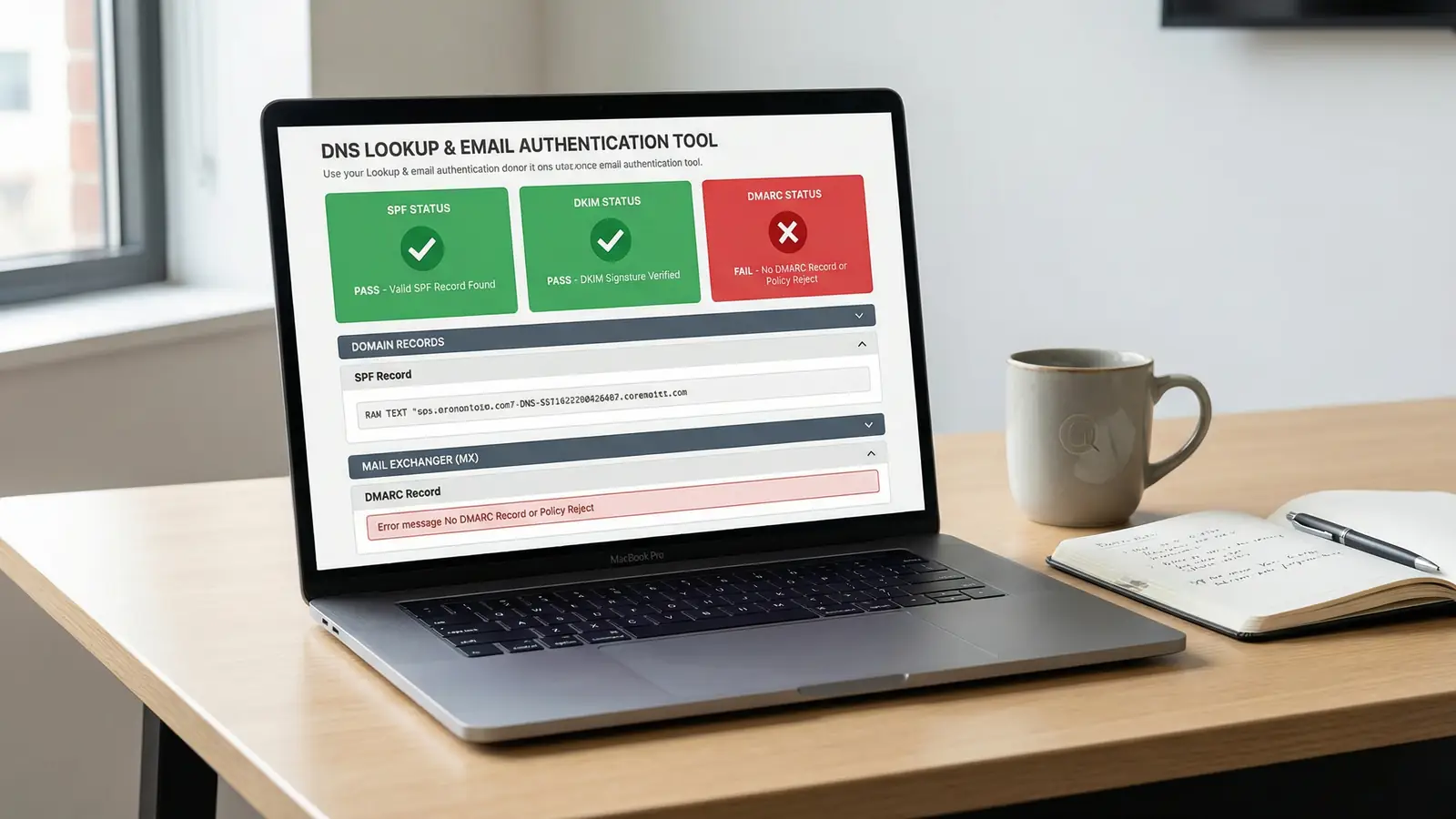
We built a free DNS Lookup tool that queries every record type on your domain, grades your email authentication setup, and flags problems in under 10 seconds. No sign-up, no email address, no limits. Just type your domain and hit enter.
What DNS actually does (and why you should care)
DNS stands for Domain Name System. It translates domain names like 365i.co.uk into the IP addresses that computers use to find each other. Think of it as the phone book of the internet: every time someone visits your website, sends you an email, or clicks a link to your business, a DNS lookup happens first.
If your DNS records are wrong, nothing else matters. Your site won't load. Your emails won't arrive. Your customers won't tell you, either. They'll just go somewhere else.
The problem is that DNS is invisible. You can't see it breaking. You can't feel it slowing down. The only way to know whether your DNS is healthy is to check it, and that's what our tool does.
The email authentication problem most businesses don't know about
Here's the stat that should worry you: only about 18% of the world's top 10 million domains have a valid DMARC record, and fewer than 8% enforce a strict "reject" policy. That means the vast majority of business domains are wide open to spoofing.
Since February 2024, Google and Yahoo require email senders to authenticate using SPF, DKIM, and DMARC. If your domain doesn't pass these checks, your emails go to spam or get rejected outright. Google reported a 75% drop in unauthenticated messages reaching Gmail inboxes after enforcing these rules. The system works. But it only works for you if you've set it up.
Here's what those three acronyms actually mean, without the jargon:
- SPF (Sender Policy Framework) is a guest list. It tells receiving mail servers which IP addresses are allowed to send email on behalf of your domain. If a spammer tries to send from your domain without being on the list, the email gets flagged.
- DKIM (DomainKeys Identified Mail) is a wax seal. It attaches a cryptographic signature to every email you send, proving it hasn't been tampered with in transit.
- DMARC (Domain-based Message Authentication, Reporting and Conformance) is the bouncer. It tells mail servers what to do when SPF or DKIM fails: let it through (
none), quarantine it (quarantine), or reject it entirely (reject).
Most UK small businesses have SPF set up (your hosting provider or email provider probably added it). Fewer have DKIM. And even fewer have DMARC. That's the gap our tool is designed to find.
"We firmly believe that users worldwide deserve a more secure email environment, with fewer unwanted messages for an improved overall experience."
When I first read that statement, I thought it sounded polite. Corporate, even. But having managed hosting infrastructure since 2002, I can tell you what it actually means: Google is done being patient. If your emails aren't authenticated, they're getting blocked. Not next year. Now.
What our DNS Lookup tool actually checks
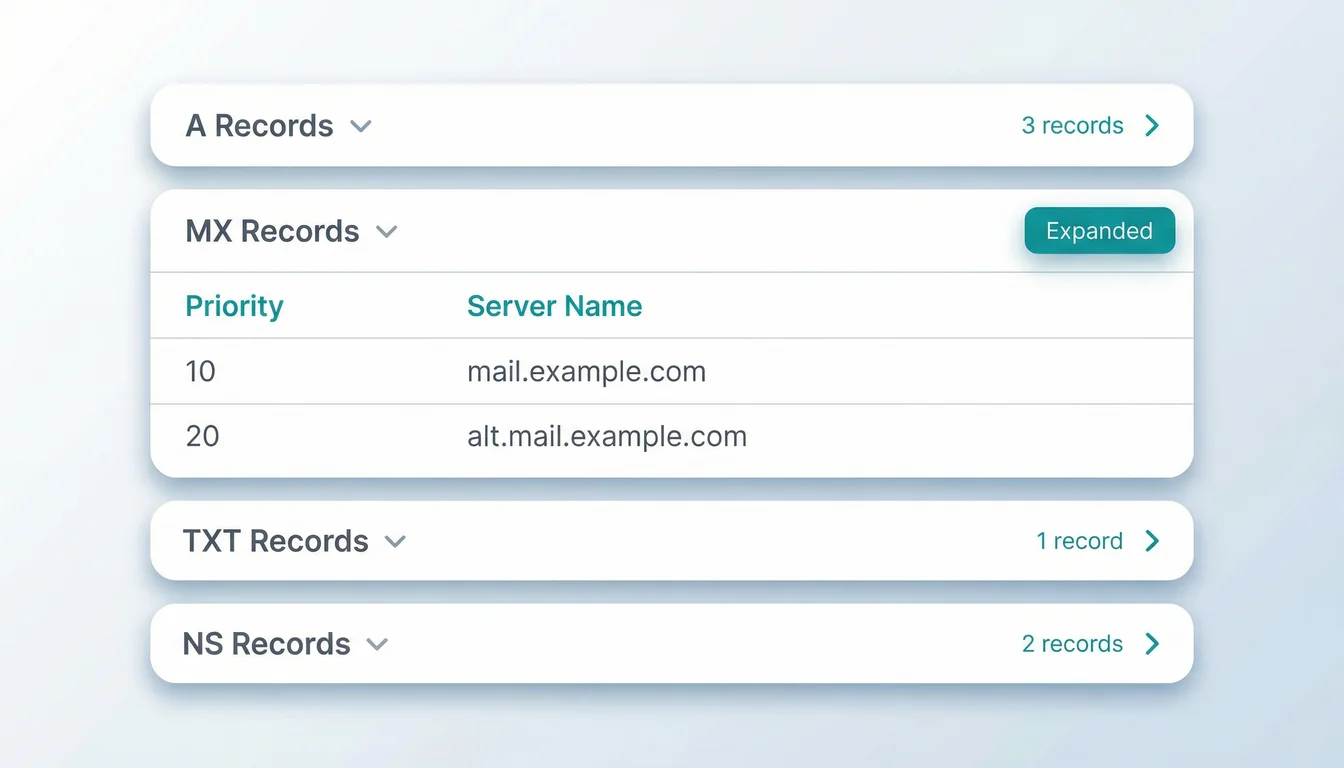
When you enter a domain, the tool queries Cloudflare's DNS-over-HTTPS infrastructure and returns every record type associated with your domain:
- A and AAAA records tell you where your domain points (IPv4 and IPv6 addresses)
- MX records show which mail servers handle your email, and in what priority order
- TXT records contain your SPF policy, DKIM keys, DMARC policy, and domain verification entries
- NS records reveal which nameservers control your DNS
- CNAME records show aliases pointing to other domains
- SOA records display the start of authority data including refresh intervals and serial numbers
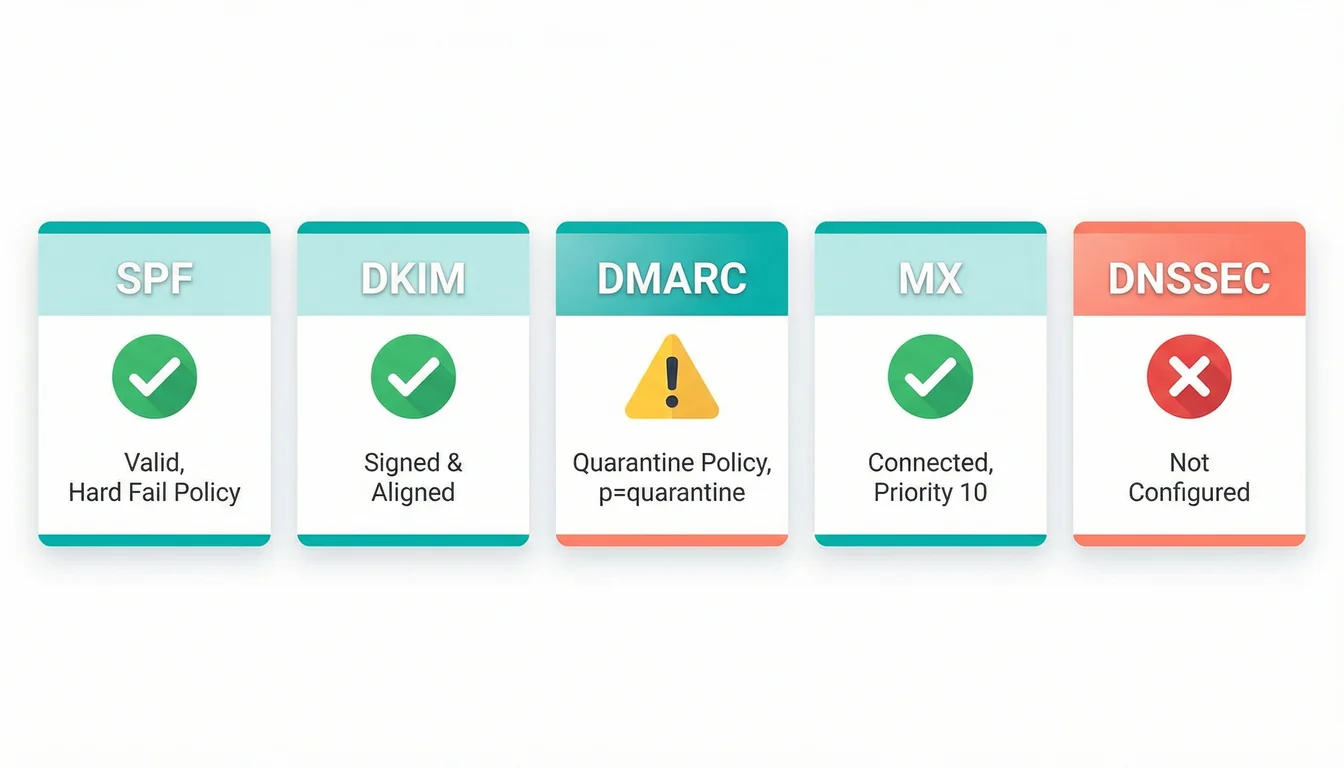
But the real value is the email health dashboard at the top of the results. It runs five checks and gives each one a pass, fail, or warning status:
- SPF: Do you have a valid SPF record? Is it just one record (not two conflicting ones)?
- DKIM: Can the tool find a DKIM selector for your domain?
- DMARC: Do you have a DMARC record, and is its policy strict enough?
- MX: Are your mail server records present and responding?
- DNSSEC: Is your domain signed with DNSSEC to prevent DNS spoofing?
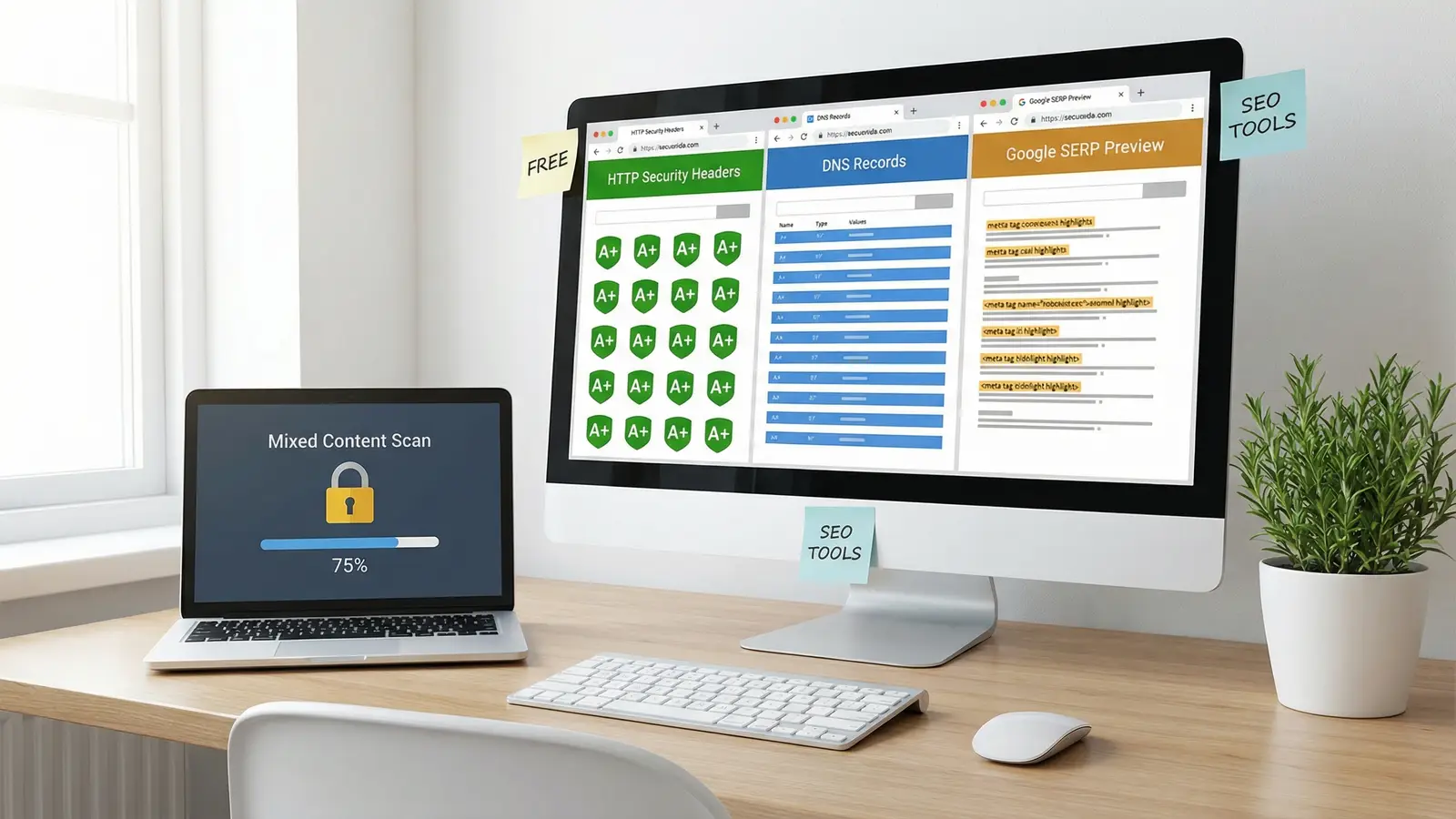
You get answers in seconds. No account needed. If you want to dig deeper into your HTTP response headers or explore our other free tools, those are one click away.
Five DNS mistakes costing you emails and traffic
After running thousands of domain lookups during testing, these are the problems we see again and again:
1. Multiple SPF records
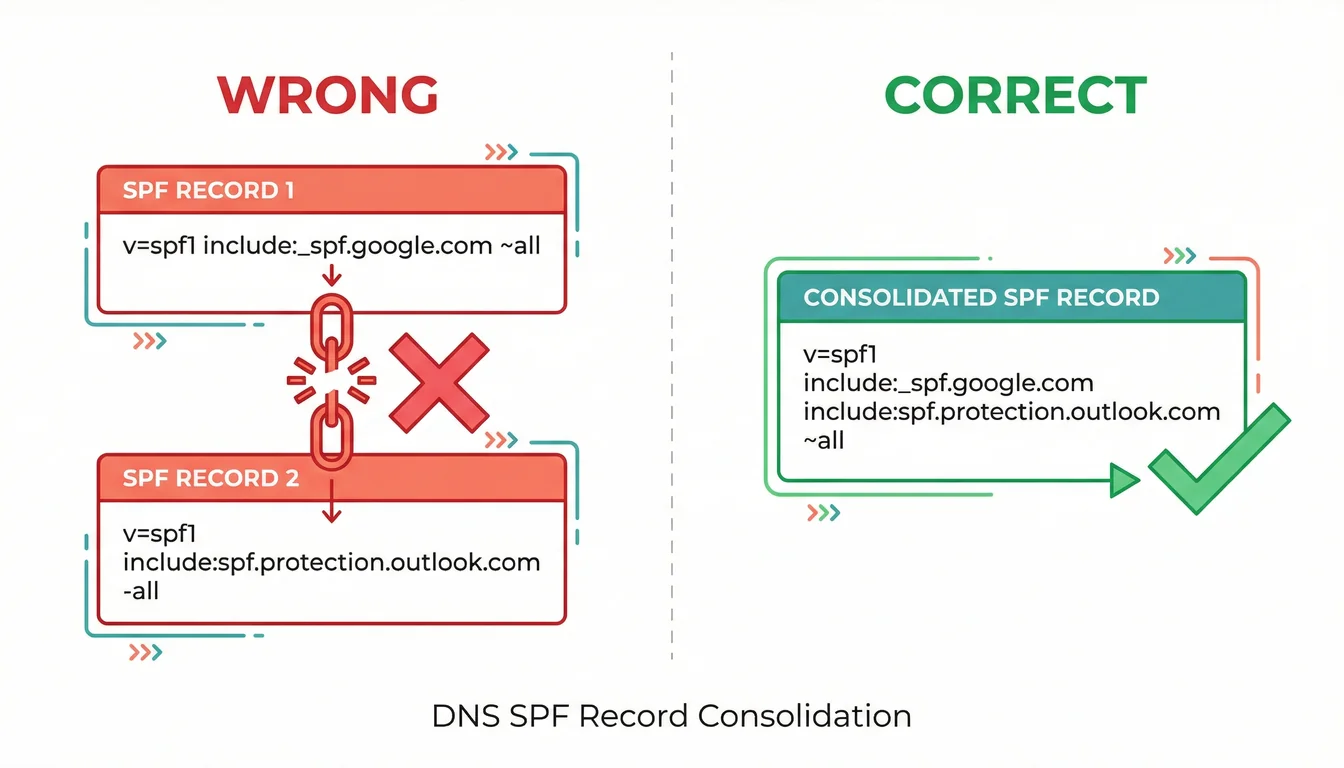
This is the single most common email authentication failure. You can only have one SPF record per domain. If you added Office 365 two years ago and then switched to Google Workspace without removing the old SPF include, you now have two conflicting records. They cancel each other out. Both fail. Every email you send is treated as suspicious.
2. DMARC set to "none"
Having a DMARC record at p=none is monitoring mode. It stops nothing. Spammers can still send emails pretending to be your domain, and the receiving server will let them through. The goal is p=quarantine or, better yet, p=reject.
3. Stale DNS records from cancelled services
Cancelled your old email marketing platform but left its include in your SPF record? That vendor's servers can still send authenticated email as your domain. DNS records don't expire. You have to remove them manually.
4. Wrong or missing MX records
If you've migrated email providers and the old MX records are still pointing to the previous server, inbound emails are vanishing. They're being delivered to a server you no longer control. The sender doesn't get a bounce message. You just never see the email. The same thing happens when you transfer a domain to a new registrar but forget to recreate the MX records at the new provider.
5. No DNSSEC
Without DNSSEC, attackers can intercept DNS responses and redirect your visitors to a fake version of your website. It's called DNS cache poisoning, and it's more common than most people realise. DNSSEC adds a cryptographic signature to your DNS responses so resolvers can verify they haven't been tampered with.
"Email plays a central role in how organisations communicate every day so it's vital that technical teams have measures in place to protect email systems from abuse."
That quote is from the UK's National Cyber Security Centre, and it carries weight. The NCSC doesn't issue statements for fun. When they launched their own Mail Check tool alongside this advice, the message was clear: email authentication isn't optional any more. Having run hosting security for UK businesses since 2002, I've watched this shift happen gradually and then all at once. Five years ago, DMARC was a nice-to-have. Now it's table stakes.
How to fix what you find
Run the DNS Lookup tool on your domain. If everything shows green, you're in good shape. If you see red or yellow indicators, here's what to do.
Fix your SPF (cost: nothing)
Log into your DNS management panel (your domain registrar or hosting provider). Find any TXT records starting with v=spf1. If there's more than one, combine them. Your final record should list every service that sends email on your behalf and end with -all (hard fail), not ~all (soft fail). If you're not sure where to start, our DNS record setup guide walks through each record type step by step.
Start DMARC with monitoring
Add a TXT record at _dmarc.yourdomain.com with the value v=DMARC1; p=none; rua=mailto:dmarc@yourdomain.com. This won't block anything yet, but you'll start receiving reports about who's sending email as your domain. After four weeks of clean reports, move to p=quarantine, then p=reject.
Enable DNSSEC through your registrar
Most registrars support DNSSEC with a single button click. It adds a layer of verification to your DNS responses. If your registrar doesn't support it, that's worth knowing. Cheap domain providers often skip features like this. And if you're weighing up whether to use .uk or .co.uk, get the extension right before worrying about DNS. You can verify DNSSEC status alongside nameservers, expiry dates, and EPP status codes using our free WHOIS Lookup tool.
Check your nameserver performance
Your NS records show which nameservers control your DNS. If they're hosted on slow, overcrowded infrastructure, every DNS lookup (and every page load) starts with a delay. Premium DNS is often included with quality hosting. Our hosting platform uses a global DNS network with sub-50ms response times.
Why hosting quality affects DNS health
Your hosting provider controls more of your DNS than you might think. They set the default TTL values, manage the nameserver infrastructure, and often pre-configure email authentication records when you set up a new site. A good host gets this right from the start. A budget host leaves you to figure it out yourself.
At 365i, we pre-configure SPF for every hosted domain automatically. DKIM and DMARC are one click each in your control panel, so there's no messing with DNS records manually. That covers the three authentication layers Google and Yahoo now require. DNS affects everything from email delivery to SSL certificate validation, so getting it right from the start matters.
That's also why we built the HTTP Header Inspector, the mixed content scanner, and the rest of our free tool suite. DNS is the foundation. If it's broken, everything built on top of it is unreliable. The tools let you verify the foundation in seconds, for free.
Frequently Asked Questions
What is a DNS lookup and why does it matter?
A DNS lookup translates your domain name into the IP address where your website or email server lives. Every page visit and every email delivery starts with one. If your DNS records are wrong, visitors can't reach your site and emails go missing.
What is an SPF record and do I need one?
SPF (Sender Policy Framework) is a DNS record that lists which servers are allowed to send email from your domain. Yes, you need one. Since February 2024, Google and Yahoo reject or junk emails from domains without valid SPF records.
Can I have two SPF records on my domain?
No. Having two SPF records causes both to fail. You can only have one SPF TXT record per domain. If you use multiple email services, combine their includes into a single record.
What does DMARC do and how do I set it up?
DMARC tells receiving mail servers what to do when an email fails SPF or DKIM checks: let it through, quarantine it, or reject it. Start by adding a TXT record at _dmarc.yourdomain.com with v=DMARC1; p=none; rua=mailto:you@yourdomain.com, then tighten the policy over time.
Why are my emails going to spam?
Missing or misconfigured SPF, DKIM, or DMARC records are the most common cause. Run a DNS lookup on your domain to check all three. Also verify you don't have multiple conflicting SPF records, which is the single most frequent authentication failure we see.
What is DNSSEC and should I enable it?
DNSSEC adds cryptographic signatures to your DNS responses, preventing attackers from intercepting and modifying them. Yes, you should enable it. Most registrars support it with a single click, and there's no performance penalty.
How long do DNS changes take to propagate?
DNS changes propagate based on your TTL (Time to Live) setting. Most changes take effect within 1 to 4 hours. In rare cases with high TTL values, propagation can take up to 48 hours. Our tool queries Cloudflare's DNS directly, so you can verify your changes are live almost immediately.
Is the DNS Lookup tool really free? Are there limits?
It's free with no sign-up required. Results are cached for 5 minutes to keep things fast. We built it because DNS problems are invisible until they cost you customers, and we'd rather you caught them before that happens.
Check your domain's DNS health for free
Our DNS Lookup tool checks every record type and grades your email authentication (SPF, DKIM, DMARC) in under 10 seconds. No sign-up, no limits.
Check Your Domain's DNSSources
Published: · Last reviewed: · Written by: Mark McNeece, Founder & Managing Director, 365i
Editorially reviewed by: Mark McNeece on · Our editorial standards