You spend hours writing a blog post, polish the content, hit publish. Then someone shares it on LinkedIn and the preview shows a broken image, a truncated title, and a description pulled from the footer. Your click-through rate tanks before anyone reads a word.
Meta tags control how your pages appear in Google search results, Facebook feeds, Twitter timelines, and LinkedIn posts. Get them right and your pages look professional, clickable, and trustworthy. Get them wrong (or skip them entirely) and Google writes its own version of your title, social platforms grab whatever text they can find, and potential visitors scroll past.
We built a free Meta Tag Checker that shows you exactly how any page appears across Google and social platforms, then flags the SEO issues that need fixing. No sign-up, no email, no limits.
Why Meta Tags Still Matter in 2026
A common misconception is that meta tags don't matter anymore because Google rewrites them anyway. There's a grain of truth there. Research by Cyrus Shepard at Zyppy found that Google rewrites 61% of title tags in search results. But that stat actually proves the opposite: if your titles are well-written and the right length, Google is far more likely to keep them. Poorly optimised titles get rewritten. Good ones don't.
Title tags remain a direct ranking signal. Google's own Search Advocate John Mueller confirmed this in a 2021 office hours session:
"One of the things I think is worthwhile to keep in mind is we do use titles as a tiny factor in our rankings as well."
A "tiny factor" doesn't sound like much until you consider that organic search is usually the largest traffic source for any website. I've been hosting sites since 2002, and I still see businesses leave traffic on the table by ignoring their title tags or writing descriptions that read like filler text. The basics get overlooked because everyone's chasing the next algorithm update, while the pages themselves don't even have a compelling title.
Meta descriptions don't directly affect rankings, but they have an outsized effect on click-through rate. Google uses your description as the snippet beneath your title. A good one persuades people to click. A missing one means Google grabs a random sentence from your page, which rarely says what you'd want it to.
What Our Meta Tag Checker Shows You
Enter any URL into the Meta Tag Checker and you get four things back in seconds:
1. A Google SERP Preview
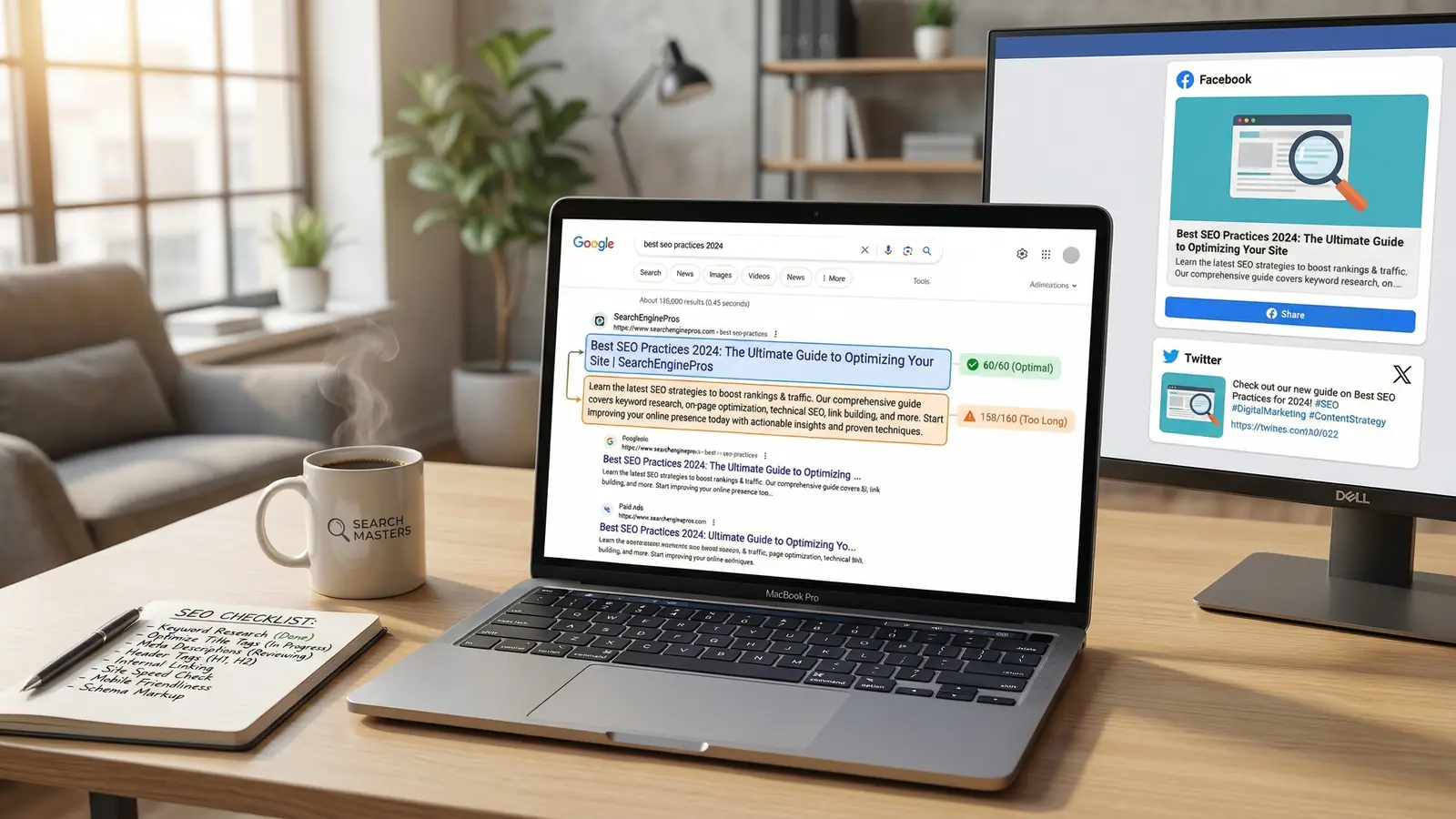
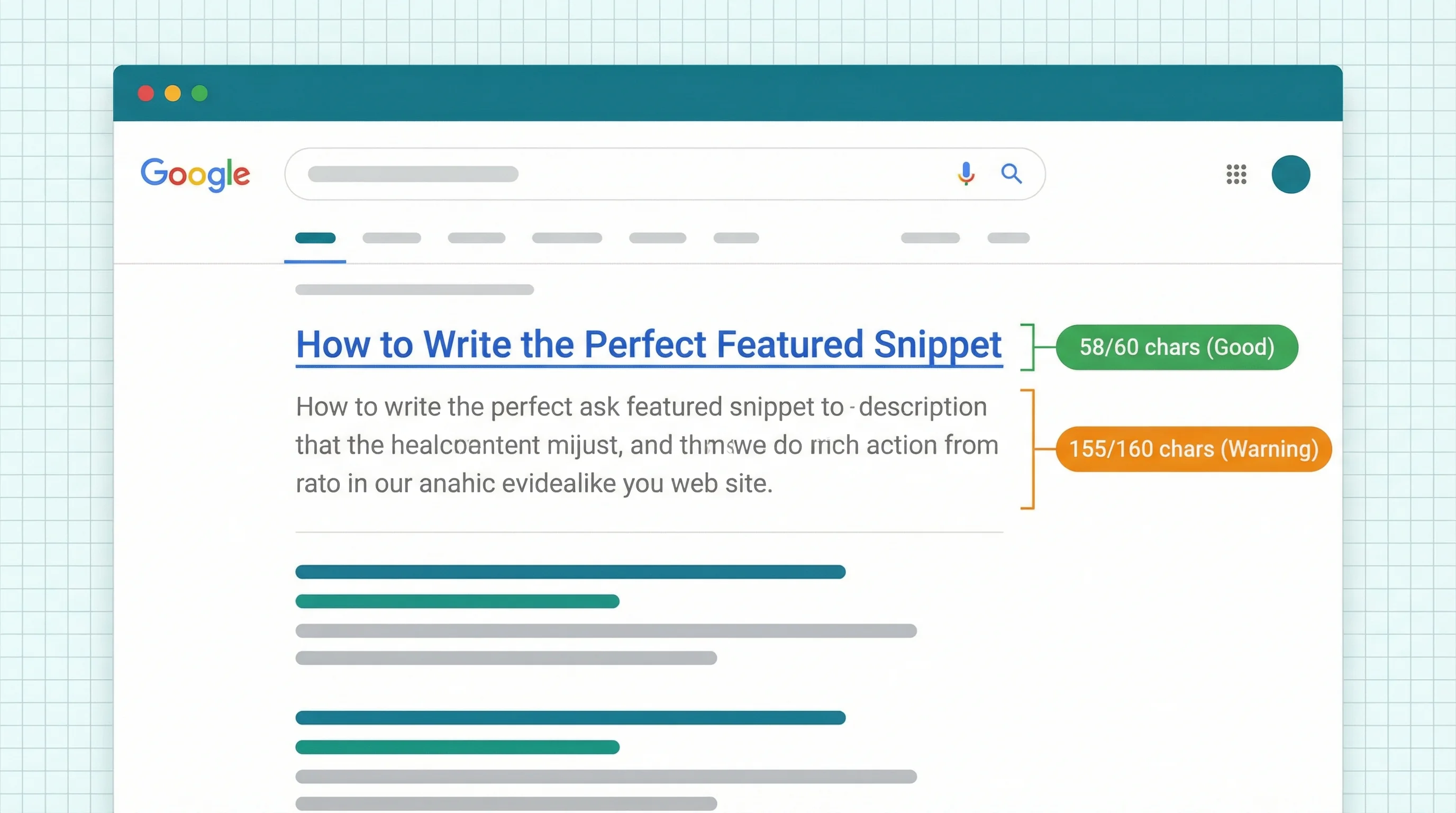
See exactly how your page appears in Google search results, right down to the favicon, breadcrumb URL, and truncated title. The preview highlights your title length (aim for 50 to 60 characters) and description length (140 to 160 characters) with colour-coded counters: green for optimal, orange for borderline, red for problems.
Most SEO tools give you a character count. Ours renders the actual Google search result, so you can see whether your title gets cut off at the wrong word or your description loses its call-to-action halfway through.
2. Social Share Previews
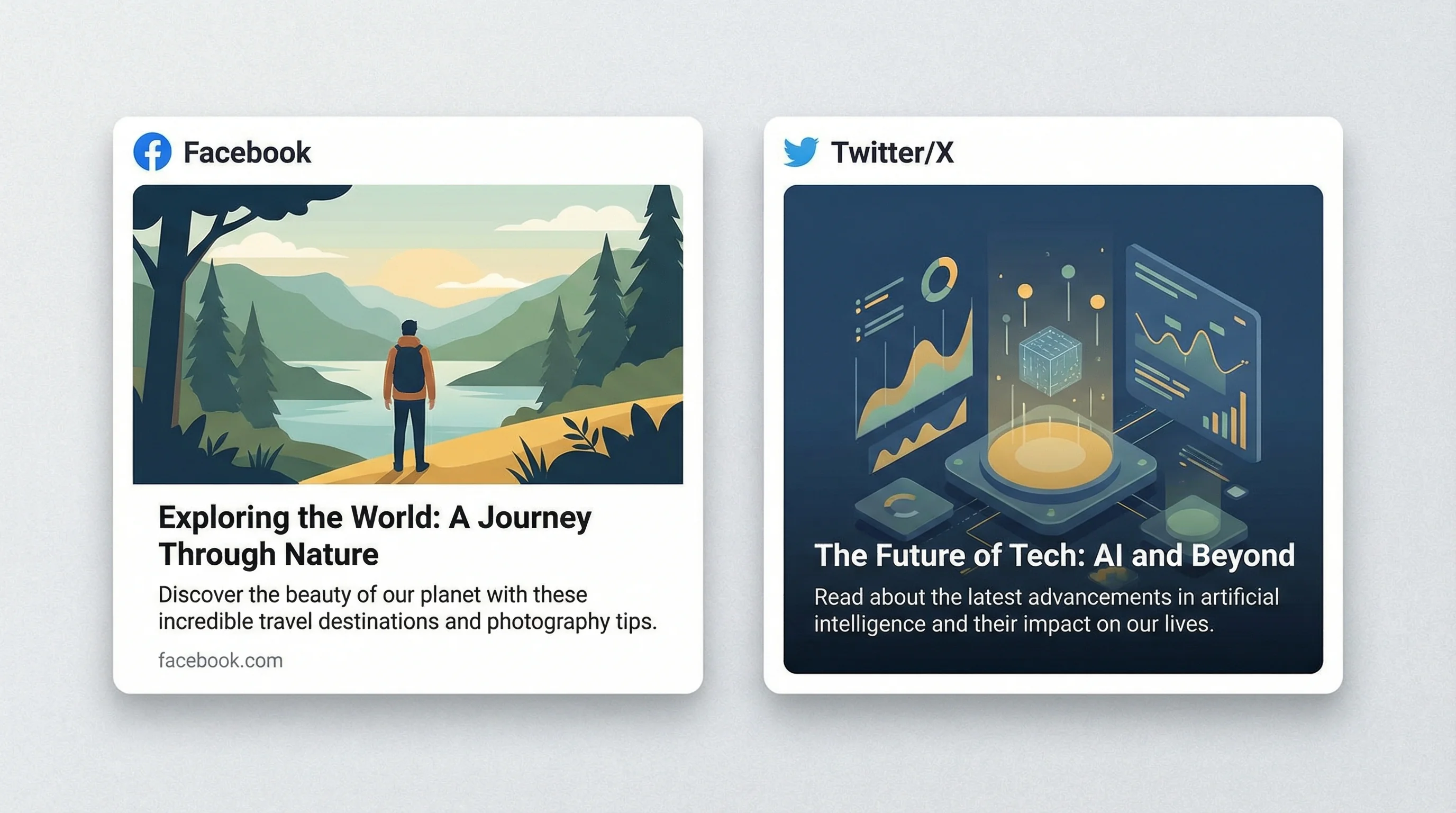
When someone shares your page on Facebook, LinkedIn, or X (Twitter), the platform builds a preview card using your Open Graph and Twitter Card meta tags. If those tags are missing or broken, the preview looks wrong: no image, a generic title, or a description pulled from your navigation menu.
Our tool renders both previews side by side. You see the Facebook/LinkedIn card (using Open Graph tags) and the X/Twitter card (using Twitter Card tags) as they'd actually appear in a feed. If the image fails to load or a tag is missing, you'll spot it here before your audience does.
Pages with properly configured Open Graph images get more clicks and shares on social platforms. Facebook posts with images generate double the engagement of text-only links. But many sites still don't set og:image at all, leaving it to chance.
3. SEO Issue Detection
The checker runs a battery of automated checks on your meta tags and flags issues by severity: errors (red), warnings (orange), and passes (green). It catches problems like:
- Missing or empty title tag, which means Google has to write one for you
- Title too long or too short, which risks truncation or wasted space in search results
- No meta description, so Google pulls random page text for the snippet
- Missing Open Graph tags, which breaks social share previews
- Missing Twitter Card tags, so X can't build a rich preview
- No canonical URL, which can cause duplicate content issues
- Multiple H1 headings, which confuses the page hierarchy
- Missing viewport meta tag, which breaks mobile rendering
Each issue includes a clear explanation of what's wrong and why it matters. This isn't a mystery score; it's a specific list of things to fix.
4. Full Tag Extraction
Every meta tag on the page is extracted and displayed in a clean list: title, description, canonical, robots directive, viewport, charset, language, H1 headings, all Open Graph properties, all Twitter Card properties, and hreflang tags for multilingual sites. Tags that are missing show as "Not set" so you know exactly what needs adding.
Common Meta Tag Mistakes (and Quick Fixes)
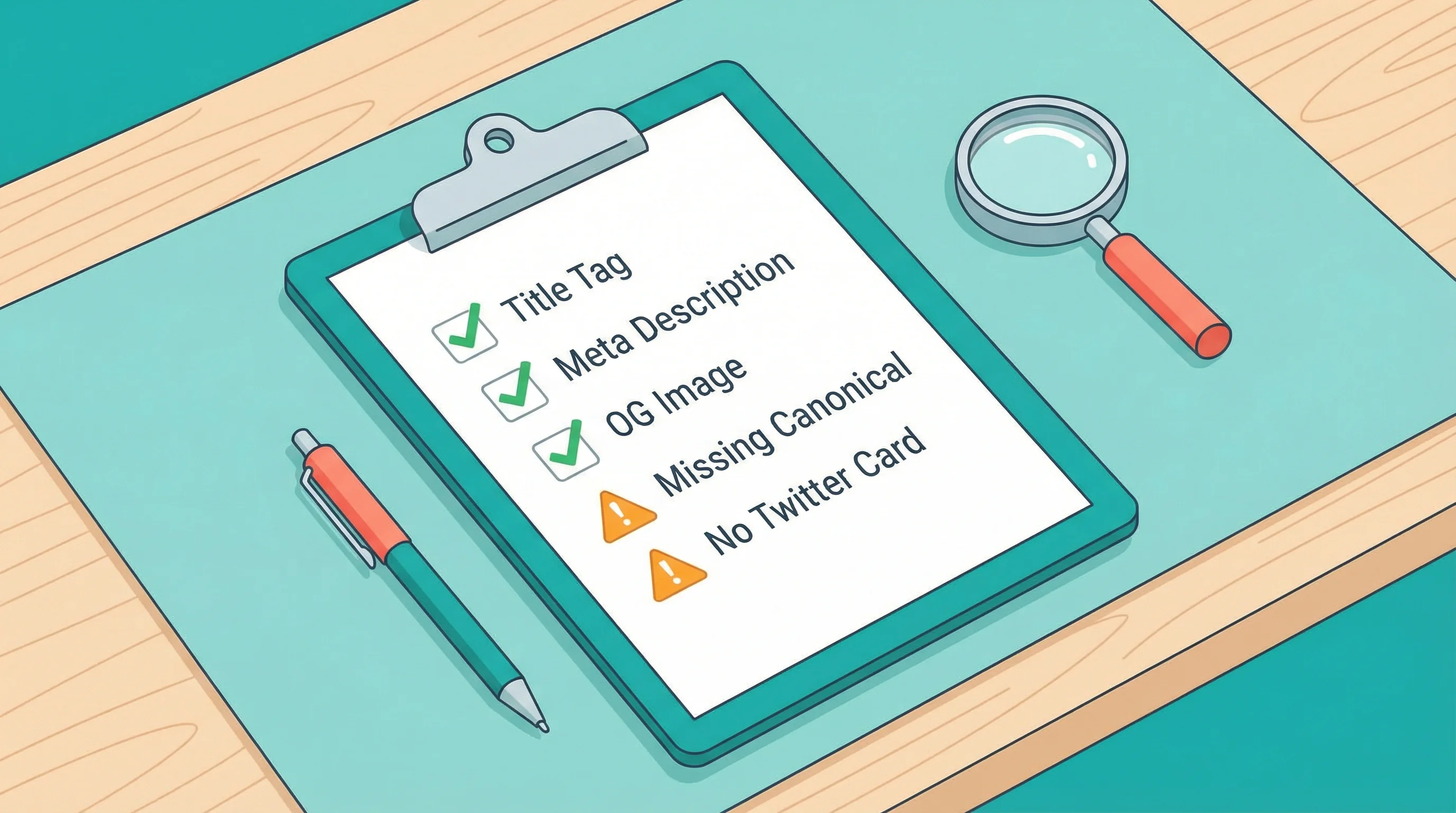
After running thousands of sites through our tools, these are the issues we see most often:
Titles that are too long. Google displays roughly 580 pixels of title text, which translates to about 60 characters. Anything longer gets cut off with an ellipsis. Write your key message within the first 50 characters so it's never lost.
Generic descriptions. "Welcome to our website. We offer quality services." That tells nobody anything. A meta description should include your primary keyword, a clear benefit, and a reason to click. Think of it as a 150-character advert for your page.
No OG image set. Without og:image, social platforms either show nothing or grab whatever image they find first, which might be your cookie banner or a 40px logo. Set a specific, high-quality image for every page you expect to be shared.
Duplicate meta tags across pages. Every page needs a unique title and description. If your entire site shares the same meta description, Google ignores it entirely and writes its own. Worse, it confuses which page should rank for which terms. Exporting your sitemap to a CSV makes duplicate titles easy to spot: sort by the title column and they jump right out.
Missing canonical tags. Without a canonical URL, search engines might index multiple versions of the same page (with trailing slashes, query parameters, or both). The canonical tag tells Google which version is the real one. Our checker flags this immediately when it's missing.
How Title Tags Affect Your Google Discover Visibility
If you're publishing content that targets Google Discover, title tags become even more critical. Discover surfaces content based on user interests, and the title is one of the primary signals Google uses to match content to people.
We've seen this first-hand with our own articles. When Google Discover's AI rewrites publisher headlines, the original title tag is what it starts with. A clear, specific, accurately descriptive title gives Google less reason to rewrite it. Vague or clickbait titles get replaced almost every time.
Cyrus Shepard's research at Zyppy backs this up. After analysing over 80,000 title tags, his team found that Google is more likely to keep titles that are between 50 and 60 characters, accurately describe the page content, and avoid keyword stuffing. Titles that exceed 60 characters or use excessive pipe separators (like "Keyword | Brand | More Keywords") get rewritten most often.
"When we need to move rankings and we need to do it quickly, we do title tags, meta descriptions, and internal links."
That quote has stuck with me since I first heard it, because it cuts through all the complexity around SEO. We have hundreds of clients on our hosting platform, and when someone asks how to improve their search traffic, the first thing I do is check their title tags. Nine times out of ten, there's something obvious to fix: too long, too generic, missing the primary keyword, or just not compelling enough to click. It's the single highest-impact change you can make with the least effort.
Open Graph Tags: The Hidden Traffic Driver
Open Graph tags were created by Facebook in 2010 to control how shared links appear in feeds. Today they're used by Facebook, LinkedIn, WhatsApp, Pinterest, Slack, Microsoft Teams, and dozens of other platforms. If you're not setting them, every share of your page is a missed opportunity.
The minimum set of OG tags every page needs:
og:title- The title shown in the share card (can differ from your SEO title)og:description- A short summary for social contextog:image- The preview image (1200x630px works best for most platforms)og:url- The canonical URL of the pageog:type- Usually "website" or "article"
Twitter (now X) has its own card system, though it falls back to OG tags when Twitter-specific tags aren't present. For maximum control, set both. Our Meta Tag Checker shows you exactly which tags are present and which are missing, with separate previews for each platform.
On our own WordPress hosting plans, we see clients who add proper OG images to their blog posts consistently get more referral traffic from social sharing than those who leave it to chance. It's not glamorous work, but it pays off every time someone shares a link.
Using the Tool: Step by Step
The whole process takes under 10 seconds:
- Go to 365i.co.uk/tools/meta-tags/
- Enter any URL in the input field. The tool adds
https://automatically if you leave it off. - Click "Check Meta Tags" and complete the quick verification.
- Review your results: SERP preview, social previews, issue list, and full tag extraction.
No account needed. No email required. Check as many pages as you want. If you find issues, fix them at the source (your CMS, theme, or SEO plugin) and re-check to confirm.
For a broader look at your site's technical health, pair this with our other free tools: the HTTP Header Inspector for security header grading, the DNS Lookup tool for domain and email authentication checks, and the HTTPS Inspector for SSL issues. Together they cover most of the technical SEO basics that affect how search engines see your site. There's a full rundown of all seven tools in our overview post.
Why We Built These Tools
We've been running a web hosting company since 2002. Over that time, we've answered thousands of support questions that boiled down to: "Why doesn't my page look right when I share it?" or "Why is Google showing the wrong title for my page?"
The answer is always in the meta tags. But checking them used to mean either viewing page source and searching manually, or paying for tools that bundle this check with features you don't need. We wanted something faster, something free, and something that shows you exactly what you need to fix without the noise.
Every tool in our SEO tools collection follows the same principle: enter a URL, get actionable results, fix the problem. No subscriptions, no upsells, and no data collection. They run on the same hosting platform we use for our clients' sites, so the infrastructure handles the load without breaking a sweat.
For web designers and agencies working on client sites, these tools are especially useful during handoff. Run a meta tag check before you deliver a site and you'll catch the issues that clients notice first: broken social previews, truncated titles in Google, and missing descriptions. Our sister site covers the broader shifts in how SEO and design need to work together as AI search grows.
Frequently Asked Questions
What are meta tags and why do they matter for SEO?
Meta tags are HTML elements in your page's <head> section that tell search engines and social platforms about your content. The title tag directly affects Google rankings and is your primary headline in search results. The meta description influences click-through rate by providing the snippet text beneath your title. Open Graph and Twitter Card tags control how your page looks when shared on social media.
What is the ideal title tag length for Google?
Keep your title tags between 50 and 60 characters. Google displays approximately 580 pixels of title text, which maps to roughly 60 characters depending on the letters used. Titles longer than this get truncated with an ellipsis, potentially cutting off your most important words. Put your primary keyword and core message within the first 50 characters.
Does Google rewrite my title tags?
Yes. Research shows Google rewrites around 61% of title tags in search results. Titles that are too long, stuffed with keywords, or don't match the page content are most likely to be changed. Well-written titles between 50 and 60 characters that accurately describe the page content are more likely to be kept as-is.
How long should a meta description be?
Write meta descriptions between 140 and 160 characters. Google sometimes displays up to 170 characters on desktop, but mobile results show fewer. Include your primary keyword naturally, state a clear benefit, and end with a reason to click. If you don't set a meta description, Google will pull text from your page content instead, which rarely reads well as a snippet.
What Open Graph tags does every page need?
At minimum, set og:title, og:description, og:image, og:url, and og:type. The image should be at least 1200x630 pixels for the best display across Facebook, LinkedIn, WhatsApp, and Slack. Without these tags, social platforms will guess what to show when your page is shared, often with poor results.
Do I need Twitter Card tags if I already have Open Graph tags?
X (Twitter) will fall back to Open Graph tags if Twitter Card tags aren't set, so the minimum requirement is covered. But adding twitter:card, twitter:title, twitter:description, and twitter:image gives you more control over how your content appears on X specifically. The twitter:card type (usually "summary_large_image") determines the card layout.
Can I check my meta tags for free?
Yes. Our Meta Tag Checker is completely free with no sign-up required. Enter any URL to see a Google SERP preview, Facebook and Twitter share previews, an SEO issue list, and a full extraction of every meta tag on the page. Check as many pages as you like.
Why is a canonical URL important?
A canonical URL tells search engines which version of a page is the "official" one. Without it, Google might index multiple versions of the same content (with and without trailing slashes, www vs non-www, HTTP vs HTTPS, or with tracking parameters). This splits your ranking signals across duplicates. Set a canonical tag on every page pointing to the preferred URL.
Hosting That Takes Care of the Technical Stuff
All 365i hosting includes free SSL, CDN, server-level caching, and performance optimisations that give your meta tags the fast, secure foundation they need.
View Hosting PlansSources
Published: · Last reviewed: · Written by: Mark McNeece, Founder & Managing Director, 365i
Editorially reviewed by: Mark McNeece on · Our editorial standards