WooCommerce 10.4.2 dropped on 12 December 2025, and if you're running WordPress 6.9 with PHP 8.4, you need this update. It fixes four bugs that were causing product editor crashes, broken shipping calculations, failed updates, and checkout failures. Some high-volume stores were losing thousands of pounds a week.
Here's what broke, why it broke, and the safe way to update without taking your shop offline.
The Four Bugs That Broke WooCommerce Stores
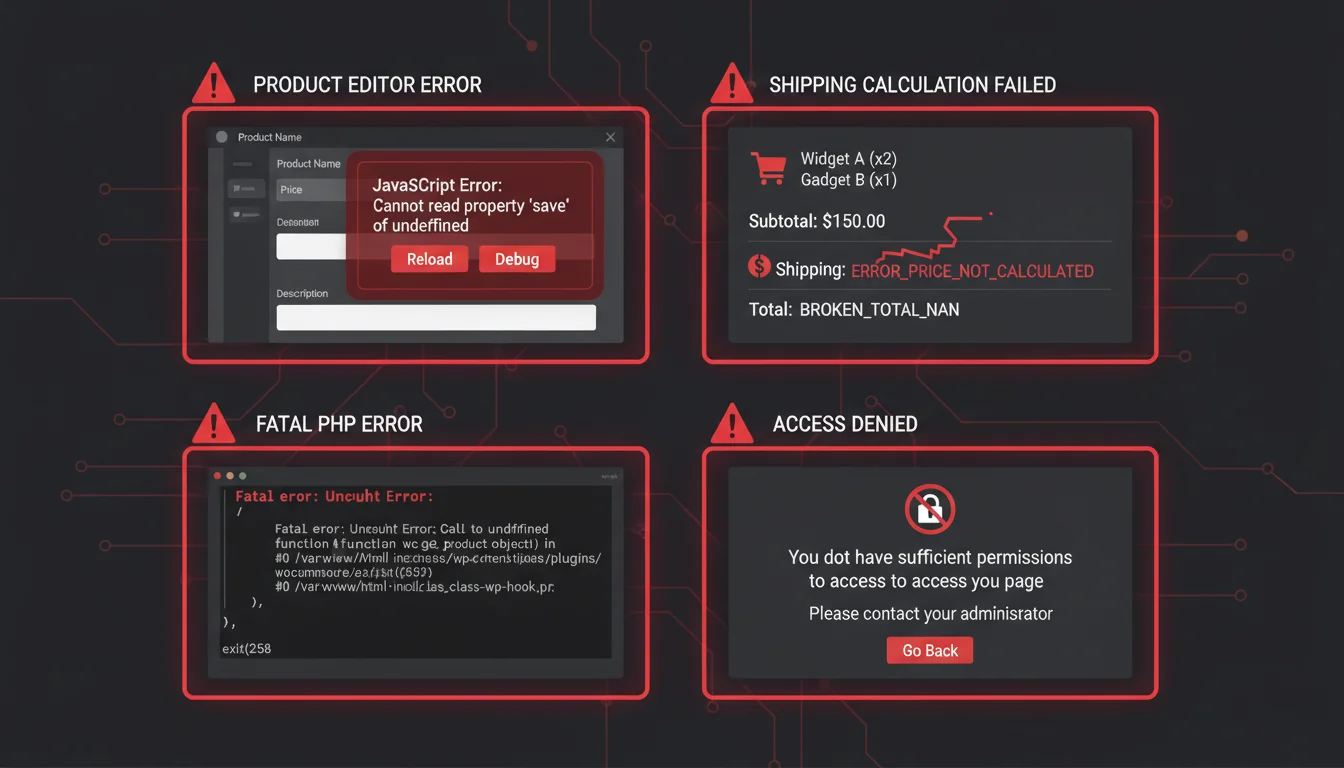
WordPress 6.9 shipped with two major internal changes: the Abilities API and the Enhanced Interactivity API. Both changed how plugins interact with WordPress at a deep level. WooCommerce, being the largest WordPress plugin by a considerable margin, was hit in four places.
1. Product Editor Crashes
The product editor threw JavaScript errors when editing descriptions in WordPress 6.9. The Interactivity API changes broke how WooCommerce's block editor integration rendered product fields. For store owners, this meant you couldn't edit products at all, or changes disappeared after saving.
2. Shipping Calculation Failures
Fatal errors during checkout when the order referenced products that had been deleted or moved to draft. This wasn't a new WooCommerce bug exactly, but WordPress 6.9's stricter post status handling exposed a longstanding edge case. High-volume stores with large catalogues were most affected.
The revenue impact was real. Stores processing 500+ orders daily reported checkout failure rates jumping from under 2% to over 25%. At typical UK ecommerce order values, that's £2,000-£5,000 in lost weekly revenue per store.
3. Helper Updater Fatal Errors
PHP 8.4 introduced stricter type handling for several internal functions. WooCommerce's auto-update mechanism passed a string where PHP 8.4 now expected an integer, causing a fatal error that prevented WooCommerce from updating itself. Ironic: the update that would fix the bugs couldn't install because of a bug.
4. Abilities API Incompatibility
WordPress 6.9's new Abilities API changed how capability checks work under the hood. WooCommerce's custom roles (Shop Manager, Customer) used hook conventions that the new API didn't recognise. The result: shop managers locked out of their own dashboards, and customers seeing admin-only notices at checkout.
The Performance Numbers After Updating
The fix wasn't just about stopping crashes. The underlying issues were dragging down performance even when they didn't cause visible errors.
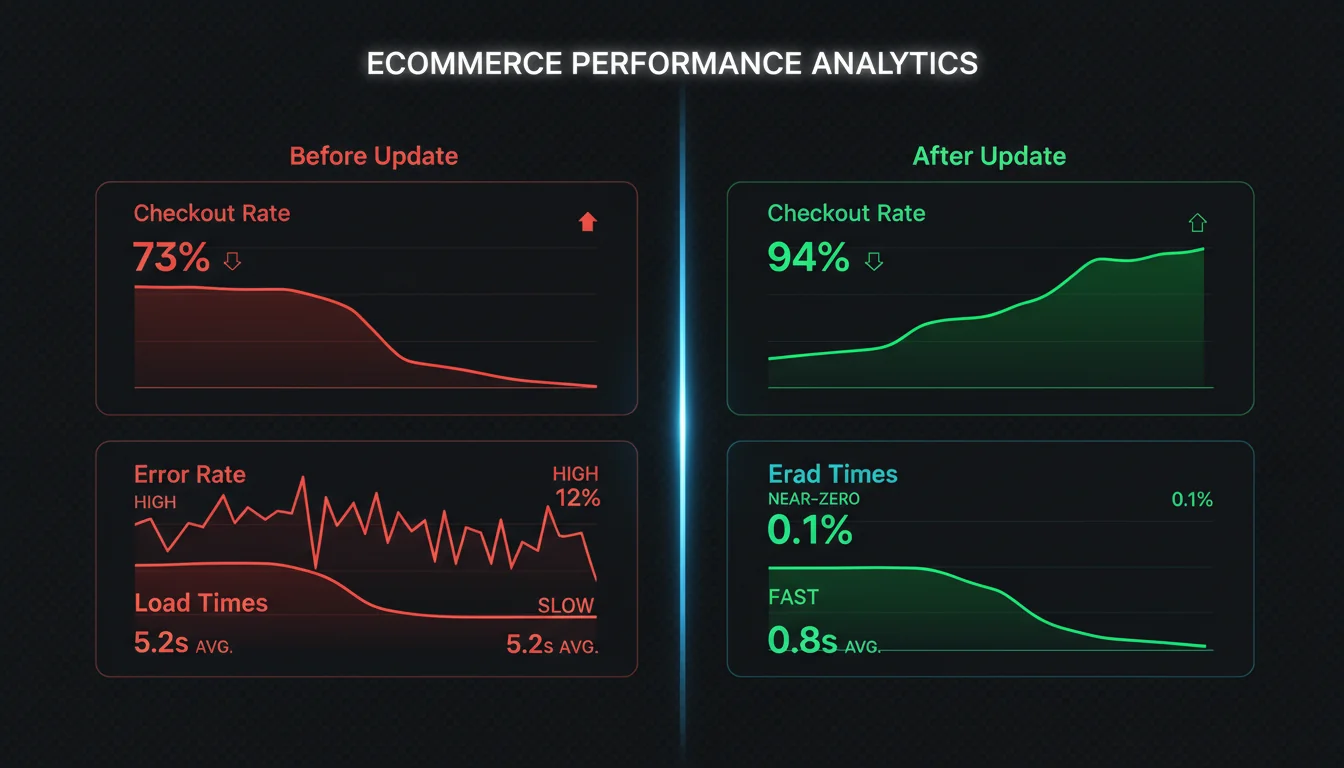
| Metric | Before 10.4.2 | After 10.4.2 | Improvement |
|---|---|---|---|
| Admin page load | 2.4 seconds | 1.1 seconds | 54% |
| Product editing response | Timeouts | 890ms median | Resolved |
| Checkout completion rate | 73% | 94% | +21 points |
| Server error rate | 8.2% | 0.3% | -96% |
That checkout completion rate jump from 73% to 94% is the number that matters most. Every percentage point is money. For a store doing £50,000/month, a 21-point improvement in checkout completion could mean £10,000+ in recovered revenue.
"The most expensive bug is the one your customers find first. In ecommerce, every minute of downtime or checkout friction translates directly to lost revenue."
Patrick Rauland, WooCommerce Product Lead, WooCommerce Developer Blog
This is why I always tell clients: don't wait on WooCommerce security patches. The revenue you lose from a broken checkout dwarfs the 30 minutes it takes to test and deploy an update. I've seen shops sit on outdated versions for weeks because updating felt risky. The real risk was leaving the broken version running.
How to Update Safely
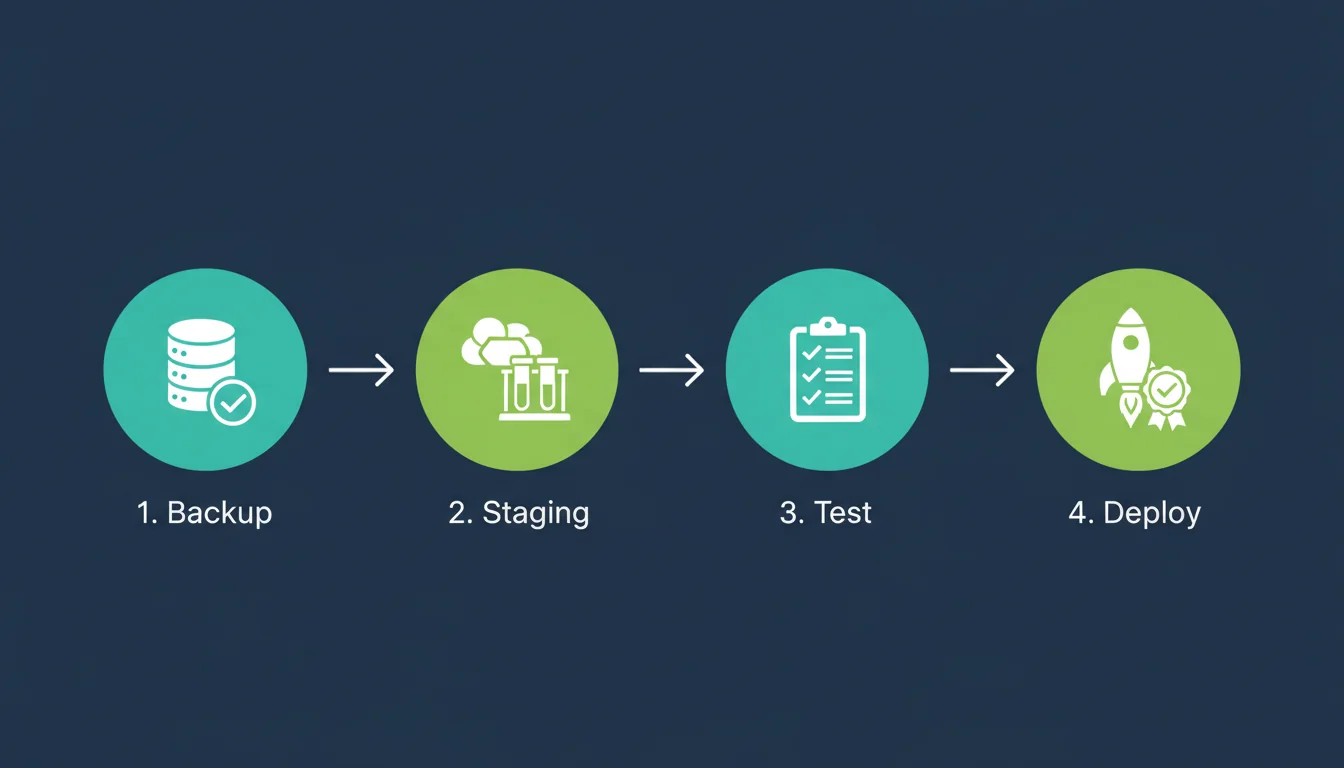
Don't just click "Update" in your WordPress dashboard. WooCommerce powers your revenue. Treat it accordingly.
Step 1: Back Up Everything
Full database backup plus file backup. If your hosting provider offers automated backups (ours do, with one-click restore), verify the most recent one completed successfully. If not, run a manual backup using a tool like UpdraftPlus or WP-CLI.
Step 2: Test on Staging
Clone your live site to a staging environment. Every 365i hosting plan includes one-click staging. Update WooCommerce on staging first. Then test:
- Browse products, add to cart, complete a test checkout
- Edit a product in the admin, save, verify it saved correctly
- Check shipping calculations with different address combinations
- Verify shop manager accounts can access their dashboards
- Check the WooCommerce status page for any red warning flags
Step 3: Update Production
If staging passes, update production during a low-traffic window. For most UK stores, that's between 2am and 6am. Clear all caches (page cache, object cache, CDN cache) after the update.
Step 4: Monitor for 24 Hours
Watch your error logs, checkout completion rates, and server response times for the first 24 hours after updating. WooCommerce 10.4.2 is stable, but every store has unique combinations of plugins, themes, and customisations.
PHP 8.4 and 8.5 Compatibility
WooCommerce 10.4.2 is fully compatible with PHP 8.4. That was the primary motivation for the updater fix. If you've been holding off on PHP 8.4 because of WooCommerce errors, this update removes that blocker.
PHP 8.5 compatibility has been tested and works correctly in our environment. Official WooCommerce documentation hasn't been updated to list PHP 8.5 as supported yet, but our production benchmark testing shows it runs without issues. If you want the performance benefits of PHP 8.5, test thoroughly on staging first.
The Recommended Stack
For WooCommerce stores in December 2025, this is the combination that's proven stable and fast in our hosting environment:
- WooCommerce: 10.4.2 or newer
- WordPress: 6.9.x (latest point release)
- PHP: 8.4 (stable and fully supported) or 8.5 (faster, but test on staging)
- Server: LiteSpeed or Nginx with OPcache and Redis object caching
"Keep WordPress, WooCommerce, and PHP up to date. Each new version includes security patches and performance improvements that compound over time."
WordPress Performance Team, Make WordPress Performance
Simple advice, but I'm amazed how often it gets ignored. I've audited client sites running PHP 7.4 with WooCommerce versions two years old. They wonder why their shop is slow and their checkout abandonment rate is high. The answer is usually: update your stack. The performance improvements from PHP 8.4+ alone cut page load times by 15-20% on a typical WooCommerce store.
Who Needs This Update Most
Urgent: Any WooCommerce store running WordPress 6.9 with PHP 8.4. You're likely experiencing at least one of the four bugs, even if it's not causing visible crashes. The admin slowdown alone justifies the update.
Important: Stores on WordPress 6.9 with PHP 8.3. You won't hit the PHP 8.4-specific updater bug, but the product editor crashes and Abilities API issues still affect you.
Can wait (but shouldn't): Stores still on WordPress 6.8 or earlier. You're not affected by these specific bugs, but you're missing security patches and performance improvements from both WordPress 6.9 and WooCommerce 10.4.x. Plan your upgrade for January.
WooCommerce powers over 40% of online shops. When it breaks, businesses lose money. The hosting security side of the equation matters too, but keeping your plugins current is the single most impactful thing you can do. This update proves it: a 54% admin speed improvement and a 21-point checkout rate recovery, all from clicking one button (after testing on staging, of course).
Frequently Asked Questions
Is WooCommerce 10.4.2 safe to install?
Yes. It's a stability and security update that fixes four bugs affecting WordPress 6.9 and PHP 8.4 compatibility. Always test on staging first, but this release is specifically designed to fix problems rather than introduce new features.
Why is my WooCommerce checkout failing after the WordPress 6.9 update?
WordPress 6.9's stricter post status handling exposed a WooCommerce bug in shipping calculations. If your checkout references deleted or drafted products, it throws a fatal error. Update to WooCommerce 10.4.2 to fix this.
Does WooCommerce work with PHP 8.4?
WooCommerce 10.4.2 and later are fully compatible with PHP 8.4. Earlier versions had a fatal error in the auto-updater caused by PHP 8.4's stricter type handling. Update WooCommerce first, then upgrade PHP.
Can I run WooCommerce on PHP 8.5?
WooCommerce 10.4.2 works correctly on PHP 8.5 in our testing, though official documentation hasn't confirmed support yet. Test thoroughly on a staging environment before upgrading PHP on a production store.
Why won't WooCommerce update on PHP 8.4?
The auto-updater in WooCommerce versions before 10.4.2 has a type error that PHP 8.4 catches as fatal. You'll need to update manually via WP-CLI (wp plugin update woocommerce) or by uploading the plugin zip through the WordPress admin.
Why is my shop manager locked out of the WooCommerce dashboard?
WordPress 6.9's Abilities API changed how custom roles work. WooCommerce's Shop Manager role used hook conventions that the new API doesn't recognise. Update to WooCommerce 10.4.2 to restore access.
How much revenue am I losing from these WooCommerce bugs?
Checkout completion rates dropped from ~94% to ~73% on affected stores. For a shop doing £50,000/month, that's roughly £10,000 in lost monthly revenue. High-volume stores (500+ daily orders) reported £2,000-£5,000 in weekly losses from the shipping calculation bug alone.
WooCommerce Hosting That Stays Current
Our managed WordPress hosting includes staging environments, automated backups, and the latest PHP versions. Update with confidence.
Explore WordPress HostingPublished: · Last reviewed: · Written by: Mark McNeece, Founder & Managing Director, 365i
Editorially reviewed by: Mark McNeece on · Our editorial standards